Everspring
Dimmer Plug
AD147-6
Light Dimmer Switch
02
SD3502
6.51.02
0x0060 (96)
0x0003 (3)
0x0003 (3)
ZC10-14080010
2014-08-05 17:06:54.330468
N/A
Enhanced 232 Slave
Always On Slave
The AD147-6 is a mini dimmer plug
The mini Dimmer Plug is a Z-Wave enabled device which is fully compatible with any Z-Wave enabled network. Z-Wave enabled devices displaying the Z-Wave logo can also be used with it regardless of the manufacturer, and ours can also be used in other manufacturer’s Z-Wave enabled networks. Inclusion of this unit on other manufacturer’s Wireless Controller menu allows remote operation of the unit and the connected load. The mini Dimmer Plug is designed to control the on/off status of lighting and appliances load in your house. The unit also provides dimmer function which is only applicable to light bulbs. At 220-240V voltage, this Dimmer Plug can support connected load of 6 - 250W.
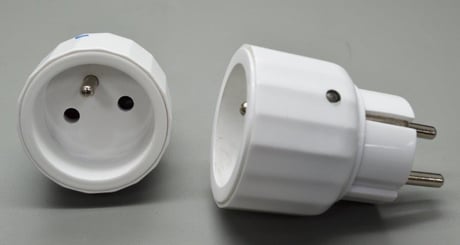
Product Picture


1 - Basic Set Command value
Basic Set Command value. When the device sends a BASIC SET command, the value indicated here will be sent.Size: 2 bytes
Default: 255
Minimum: 0
Maximum: 0
Possible values
| From | To | Desription |
|---|---|---|
| 0 | 99 | |
| 255 | 255 |
2 - The delaying time to report to Group 1
The delaying time to report to Group 1. When a notification is sent to the nodes in Group 1, the send will take place after the delay period indicated with this value.Size: 1 byte
Default: 3
Minimum: 0
Maximum: 0
Possible values
| From | To | Desription |
|---|---|---|
| 3 | 25 |
3 - Remember the last status
Remember the last status of the load. 1: remember, 0: do not rememberSize: 1 byte
Default: 1
Minimum: 0
Maximum: 0
Possible values
| From | To | Desription |
|---|---|---|
| 1 | 0 |
4 - Output mode setting: Dimming, On/Off
Output mode setting: Dimming, On/Off Note: When set to 1, the operation mode is not changed; only the light would be turned on with 100% brightness immediately.Size: 1 byte
Default: 0
Minimum: 0
Maximum: 0
Possible values
| From | To | Desription |
|---|---|---|
| 0 | 1 | 0 (Dimmable) or 1 (On/Off) |
1. Put the Z-Wave Controller into inclusion mode. 2. Press the link key three times within 1.5 seconds to put the unit into inclusion mode. (Please refer to the documentation for the location of the link key.)
1. Put the Z-Wave Controller into exclusion mode. 2. Press the link key three times within 1.5 seconds to put the unit into exclusion mode. (Please refer to the documentation for the location of the link key.)
NR
NR
(This procedure should only be used when the network primary controller is inoperable.) 1. Press the link key three times within 1.5 seconds to put the unit into exclusion mode. 2. Within 1 second of step 1, press link key again and hold it until LED is off (about 5 seconds). (Please refer to the documentation for the location of the link key.) 3. Node ID is excluded. The device reverts to factory default state and will be in auto-inclusion mode for 4 minutes.
NR