Vision
Motion Detector (with Temperature Sensor)
ZP3102EU-5
Notification Sensor
02
ZM5202
6.51.02
0x0109 (265)
0x2002 (8194)
0x0205 (517)
ZC10-14100005
2014-07-25 13:21:55.054475
N/A
Enhanced 232 Slave
Reporting Sleeping Slave
The ZP3102 is a Z-Wave enabled motion detector and temperature sensor.
The ZP3102 is a Z-Wave enabled motion detector and temperature sensor. The motion detector has 120 degrees of horizontal visibility and 60 degrees of vertical visibility. The temperature sensor that is built in to the ZP3102 is capable of reporting in both Celsius and Fahrenheit scales, and may be queried for the temperature and it will report it automatically when it detects changes. The sensor is battery operated and includes the ability to report the battery level and will transmit an alert signal if the battery assumes a critically low level. The ZP3102 is future-proofed by also supporting the ability to have its firmware updated over the Z-Wave network.
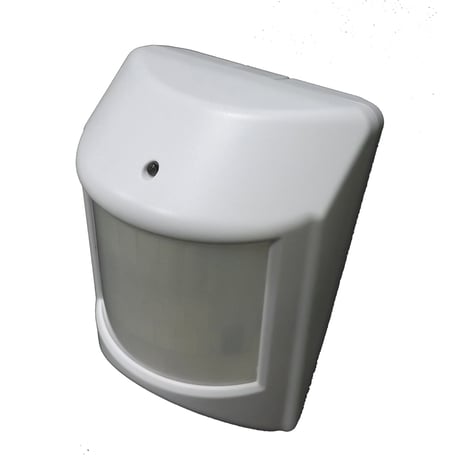
Product Picture


1 - Retriggering Time
User could set up the retriggering time from 1 ~ 255 minutes using values 0x00 to 0xFF (-128 to 127).Size: 1 byte
Default: 3
Minimum: 0
Maximum: 0
Possible values
| From | To | Desription |
|---|---|---|
| 1 | 255 | Retriggering Time |
2 - Temperature Scale
User could choose the temperature reported scale by following: 0x00 - Celsius 0x01 - FahrenheitSize: 1 byte
Default: 0
Minimum: 0
Maximum: 0
Possible values
| From | To | Desription |
|---|---|---|
| 0 | 1 | Temperature type |
3 - Infrared sensor sensitivity
Infrared sensor sensitivity adjustment: 1 = most sensitive 7 = most insensitiveSize: 1 byte
Default: 4
Minimum: 0
Maximum: 0
Possible values
| From | To | Desription |
|---|---|---|
| 1 | 7 | Sensitivity Adjustment |
Put the Z-Wave Interface Controller into 'inclusion' mode, and follow its instructions to add the ZP3102 to your Z-Wave network. For a successful inclusion, it is suggested to have the sensor and your Z-Wave controller about one meter apart. Press the Program Switch of the ZP3102 (refer to the manual for the location of the program switch) ready the ZP3102 for inclusion into the Z-Wave network. If inclusion does not take place or is unsuccessful within 20 seconds, the ZP3102 will go to sleep; if this happens, simply repeat pressing the program switch to try again.
Put the Z-Wave Interface Controller into “exclusion” mode, and following its instruction to delete the ZP3102 to your Z-Wave network. Press the Program Switch of ZP3102 once to be excluded. The LED on the ZP3102 should start to flash.
Remove the rear cover to wake up the device, or set the wake up interval time from 10 minutes to 1 week. The battery will be drained quickly if you fail to replace the cover after using that method to wake up the device.
Removing the rear cover to wake up the device. Press Program Switch 10 times within 10 seconds, ZP3102 will go back to factory default. (This is to be used only in the case of the primary controller being inoperable or otherwise unavailable.)