Dragon Tech Industrial, Ltd.
Plug in Dimmer Switch
PD-100
Light Dimmer Switch
HW: 255
ZM5202
6.51.02
0x0184 (388)
0x4744 (18244)
0x3032 (12338)
ZC10-14090002
2014-08-31 14:05:50.858514
N/A
Enhanced 232 Slave
Always On Slave
PD-100 Plug in Dimmer Module - Remotely controls On, Off, or Dim levels of the connected device. - Second wall AC outlet remains free - Works with any gateway supporting Z-Wave - Functions as a Z-Wave signal repeater
PD-100 Plug in Dimmer Module • Works with any AC operated lamps with incandescent and dimmable florescent(CFL) or LED light bulbs • ON/OFF status and location LED indicator • Can be controlled wirelessly or manually • Plug and play, simple setup • Lightweight and compact. • Grounded 3-pin AC power plug to enhance safety • Over-The-Air firmware upgrade available with compatible gateway, Z-Wave static controller, PC and software • Z-Wave 500 Series module inside • Internal resettable fuse to protect from surge current • Manual reset capability • Adjustable dimming rate
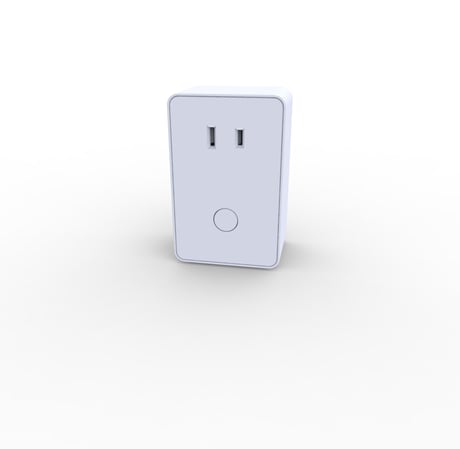
Product Picture


3 - LED backlight for key switch
This parameter controls the operation of the LED backlight in conjunction with the operating state of the switch.Size: 1 byte
Default: 0
Minimum: 0
Maximum: 0
Possible values
| From | To | Desription |
|---|---|---|
| 1 | 1 | LED indicator turns ON when the connected appliance is ON. LED indciator will be OFF when the connected appliance is OFF. |
| 0 | 0 | When the connected appliance is OFF, the LED indicator will be ON. When the connected appliance is ON, the LED indicator will be OFF. |
| 2 | 2 | Key switch LED backlight is always OFF. |
9 - Dimming Steps
Indicates the number of steps the lighting brightness level will change as timer runs out when pressing the rocker switch up or down.Size: 1 byte
Default: 1
Minimum: 0
Maximum: 0
Possible values
| From | To | Desription |
|---|---|---|
| 1 | 99 | Set preferred increments of levels. Higher the number the faster the device will change brightness level. |
10 - Duration of each level
Indicates the time duration of each level. Each unit has 10 msec of duration. 3 means that the default is set at 30 msec. By adjusting the parameter values of 9 and 10, user can control how fine or fast they can control the dim levels.Size: 1 byte
Default: 3
Minimum: 0
Maximum: 0
Possible values
| From | To | Desription |
|---|---|---|
| 1 | 255 | For every unit increase or descrease, the duration is increased or decreased by 10msec. Higher the number, slower the duration it takes to adjust the dim level. |
1. Plug the 2-pin AC power plugs of lighting device to the receptacle of PD-100 2. Insert the module's 3-pin plug into an AC outlet of your preferred location. In normal operating mode, the LED on the front panel will be lit. 3. Add(Include) the module into your network by a Z-Wave certified controller. Normally, the sequence is as follows: a. Place your network controller into inclusion mode by following the controller manufacturer's instructions b. When the controller is ready, single click the button on the front of PD-100 c. The controller should indicate that the new device was added successfully.
a. Place your network controller into exclusion mode by following the controller manufacturer's instructions b. When the controller is ready, single click the button on the front of PD-100 c. The controller should indicate that the device was excluded successfully.
Use this procedure only in the event that the network primary controller is lost or otherwise inoperable. 1. Unplug the PD-100 from the AC outlet and also unplug the power plugs of the lighting from the module (if plugged in) 2. Press and hold the button on the PD-100 3. Plug the PD-100 back into the AC outlet with the button pressed 4. After 3 seconds, release the button. If you see the button blink, that means that the PD-100 has been reset successfully