Zipato
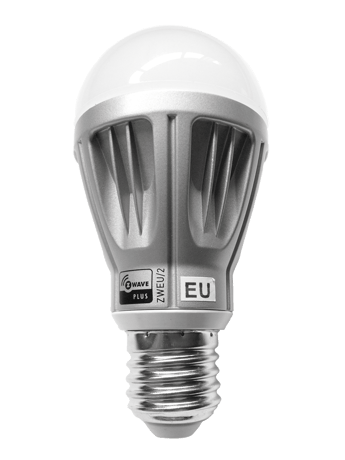
Zipato RGBW light bulb
rgbwe27zw
Light Dimmer Switch
1.0
ZM5202
6.51.01
0x0131 (305)
0x0002 (2)
0x0002 (2)
ZC10-14090005
2014-09-03 12:30:49.690381
N/A
Enhanced 232 Slave
Always On Slave
Dimmable 6.7W light bulb with individually adjustable red, green, blue, warm white and cold white color channels.
Zipato RGBW BULB has 5 color channels available for you to adjust: RED, GREEN, BLUE, WARM WHITE and COLD WHITE. Zipato RGBW BULB can be used to add color to your home or just to lighten it up in any white color tone you desire.


1 - White color temperature
Configuration option 1 is used to adjust color temperature.Size: 1 byte
Default: 50
Minimum: 0
Maximum: 0
Possible values
| From | To | Desription |
|---|---|---|
| 0 | 100 | 0 - full cold white; 100 - full warm white |
2 - Shock sensor sensitivity
Configuration option 2 is used to adjust shock sensor sensitivity.Size: 1 byte
Default: 16
Minimum: 0
Maximum: 0
Possible values
| From | To | Desription |
|---|---|---|
| 0 | 31 | 0 - minimum sensitivity; 31 - maximum sensitivity |
Place your Z-Wave primary controller into inclusion mode by following the controller manufacturer's instructions. Place the light bulb into inclusion mode by gently tapping the light bulb. The light bulb will shine green to indicate a successful activation of inclusion mode.
Place your Z-Wave primary controller into exclusion mode by following the controller manufacturer's instructions. Place the light bulb into exclusion mode by gently tapping the light bulb. The light bulb will shine green to indicate a successful activation of exclusion mode.
A factory default reset is performed when the bulb is excluded from a Z-wave network.