Homelive
Homelive Base
NA930FR
Gateway
33
ZM5202
6.51.00
0x008C (140)
0x0003 (3)
0x0033 (51)
ZC10-14110007
2014-11-13 13:02:11.55559
N/A
Static Controller
Central Static Controller
Orange has developed Homelive, a unique solution that links you to the connected objects in your home, allowing you to manage your appliances remotely.
Orange has developed Homelive, a unique solution that links you to the connected objects in your home, allowing you to manage your appliances remotely. Choose from a range of intelligent sensors and connected devices, brought to you by Orange’s partners: weather monitors, thermostats, light switches, sound and movement detectors, and smoke detectors, to name but a few. The Homelive app lets you control all the connected appliances in your home from one place, accessible from your smartphone or tablet. You can even set up custom alerts, tailored to your needs. With Homelive, you can configure your house from your smartphone or tablet to suit your daily routine. You can, for example, arrange for the heating to come on automatically depending on the outside temperature, or program the lights to switch on at dusk.
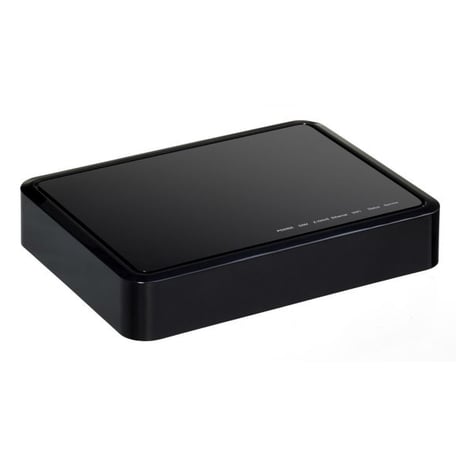
Product Picture
Access the UI by logging into the home live portal (http://id-rec.orange.fr/auth_user/bin/auth0user.cgi). Click on the Settings Tab on the left side of the screen Click on Z-Wave Settings and then on the advanced tab Click on the option to ""Copy Z-Wave network from a Primary Controller""
N/A
Access the UI by logging into the home live portal (http://id-rec.orange.fr/auth_user/bin/auth0user.cgi). Click on the Settings Tab on the left side of the screen Click on the backup tab and then on the ""Reset to Default"" button
In order to include another zwave product into the gateway. Access the UI by logging into the home live portal (http://id-rec.orange.fr/auth_user/bin/auth0user.cgi). Click on the devices tab on the left side of the window. Click on the ""Add Device"" button on the upper right hand corner. Select the device you want to add or ""generic Z-Wave Device"" if your device isn't in the list. Follow the on screen instructions.
In order to exclude a Z-Wave product. Access the UI by logging into the home live portal (http://id-rec.orange.fr/auth_user/bin/auth0user.cgi). Click on the devices tab on the left side of the window. Click on the right arrow on the device that you want to remove Click on the delete button at the bottom of the device settings, then ""Exclude"" and follow the on screen instructions