wibutler
Alfred
1.0
Central Controller
1
ZM5202
6.51.06
0x019E (414)
0x0001 (1)
0x0001 (1)
ZC10-15070009
2015-04-02 08:45:35.8238
N/A
Static Controller
Central Static Controller
The interoperable home server wibutler pro allows for the combination of smart products even if they are based on different radio protocols. Equipped with multiple established radio protocols (EnOcean, Z-Wave, ZigBee, Bluetooth Smart, Bluetooth, WLAN) it offers a unique connectivity and is able to build up its own access point.
The interoperable home server wibutler pro allows for the combination of smart products even if they are based on different radio protocols. Equipped with multiple established radio protocols (EnOcean, Z-Wave, ZigBee, Bluetooth Smart, Bluetooth, WLAN) it offers a unique connectivity and is able to build up its own access point. It serves as the core of the wibutler solution. In combination with the wibutler app (iOS and Android) and the online platform www.wibutler.com, users may connect, combine and automate devices of different manufacturers to convert their home into a smart home.
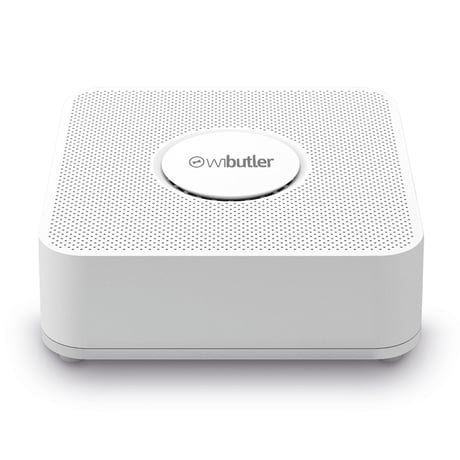
Product Picture
Start the mobile wibutler app and connect to your wibutler. Open the Z-Wave Controller device from the device list and select the menu entry “Learn Mode” on the “Control Page”. Now, the controller is in learn mode.
n/a
Start the mobile wibutler app and connect to your wibutler. Open the Z-Wave Controller device from the device list and select the menu entry “Reset Controller” on the “Control Page”.
n/a
Start the mobile wibutler app and connect to your wibutler. Open the Z-Wave Controller device from the device list and select the menu entry “Add Device” on the “Control Page”. Now, the controller is in inclusion mode.
Start the mobile wibutler app and connect to your wibutler. Open the Z-Wave Controller device from the device list and select the menu entry “Remove Device” on the “Control Page”. Now, the controller is in exclusion mode.