HomeSeer
HomeSeer A2Z-Link ASCII/JSON to Z-Wave Bridge
A2Z-LINK
Central Controller
N/A
SW
6.51.06
0x000C (12)
0x0001 (1)
0x0003 (3)
ZC10-15050008
2015-05-11 08:36:19.8016
N/A
Static Controller
Central Static Controller
A2Z-Link is a web-managed ASCII (or JSON) to Z-Wave Controller. It is designed to provide Z-Wave product support for other systems that are not Z-Wave compatible. The unit accepts ASCII or JSON commands and converts those to Z-Wave broadcasts. Z-Wave status updates are converted back to ASCII or JSON. OEM inquiries welcome.
A2Z-Link is a web-managed ASCII (or JSON) to Z-Wave Controller. It is designed to provide Z-Wave product support for other systems that are not Z-Wave compatible. The unit accepts ASCII or JSON commands and converts those to Z-Wave broadcasts. Z-Wave status updates are converted back to ASCII or JSON. OEM inquiries welcome. Main Features: - Includes ASCII to Z-Wave and JSON to Z-Wave protocols - Provides quick and easy Z-Wave support for non-Z-Wave compliant systems - Includes robust web management interface - Scalable with support for multiple Z-Wave networks (requires multiple A2Z-Link Modules) - Optional automation event feature - Optional mobile app available - Optional Insteon support available
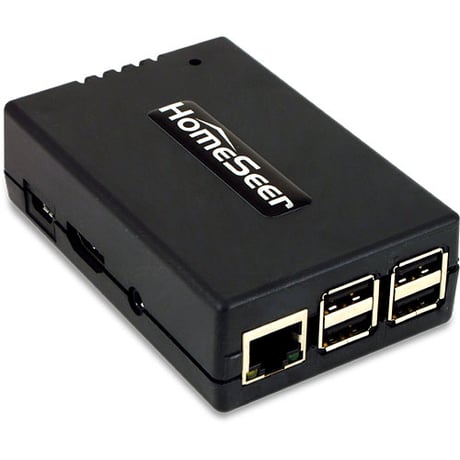
Product Picture
From the UI, select the Plugins menu, then the Z-Wave Plugin, then choose the Controller Management option. In the list of actions for the Z-Wave interface, choose ""Receive Network from Another Controller"", and follow the on-screen prompts.
Please use this procedure only as a last resort as existing nodes in the network will be orphaned and unable to be controlled. Access the Interfaces page from the UI. Click on the Z-Wave plug-in link on the interfaces page to be taken to the diagnostics page for the plug-in, then press the Factory Reset button at the top of the page.
From the UI, select the Plugins menu, then the Z-Wave Plugin, then choose the Controller Management option. In the list of actions for the Z-Wave interface, choose ""Add/Include a Node"", and follow the on-screen prompts.
From the UI, select the Plugins menu, then the Z-Wave Plugin, then choose the Controller Management option. In the list of actions for the Z-Wave interface, choose ""Remove/Exclude a Node"", and follow the on-screen prompts.