Vision
Keyfob
ZT1101EU-5
Remote Control - Simple
02
ZM5101
6.51.06
0x0109 (265)
0x201B (8219)
0x1B02 (6914)
ZC10-15060003
2015-05-28 10:42:02.6672
N/A
Portable Controller
Portable Controller
Portable Controller with Remote Control Function ...
Portable Controller with Remote Control Keyfob: * Micro USB Charge (5V) * Lithium Rechargeable Battery (280mAH) * Setting Mode (Inclusion/Exclusion/Association/Learning/Shift) * Control Mode (Arm/Disarm, On/Off Control)
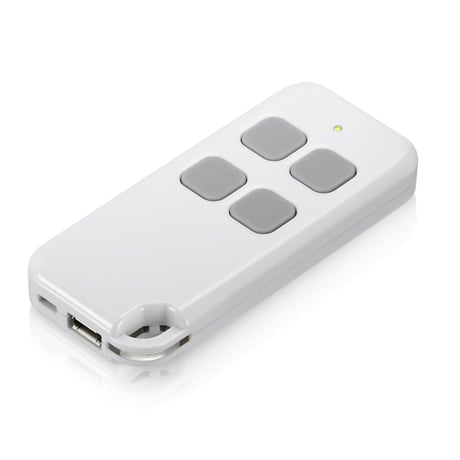
Product Picture
* Keyfob should not include any node * Under Control Mode: Press button 1 and 4 together till the red LED flashes to include into other Z-Wave network. * Under Setup Mode: Press button 3 and 4 together till the red LED flashes to include into other Z-Wave network. It will send NWI NIF info. * Keyfob will return to sleep after 5 seconds if no inclusion nor exclusion.
Press 4 buttons together for 10 seconds. The LED colors will turn red after 2 seconds for 2 seconds and turn green for another 2 seconds. Keyfob will send “Device Reset Locally Notification” command and reset to the factory default. (Red LED flashes fast means reset completely). Remark: This is to be used only in the case of primary controller being inoperable or otherwise unavailable.
To “Include” into (adding into) an existing network: Put the Z-Wave™ Gateway or Controller into learn mode to add the keyfob into your controller. To get in to “inclusion” mode, the distance between sensor and controller is suggested to be within one meter.
To “Exclude” from (removing from) an existing network: Put the Z-Wave™ Gateway or Controller into learn mode to remove the keyfob into/from your controller. To get in to “exclusion” mode, the distance between sensor and controller is suggested to be within one meter.