Vision
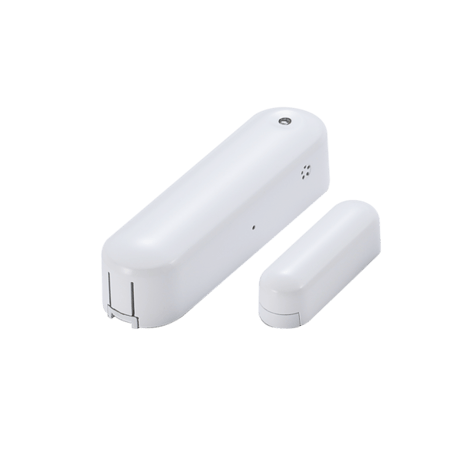
4 in 1 Door Sensor
ZD2301EU-5
Notification Sensor
2.0
ZM5202
6.51.06
0x0109 (265)
0x201F (8223)
0x1F20 (7968)
ZC10-15110007
2015-06-06 09:20:44.6184
N/A
Enhanced 232 Slave
Reporting Sleeping Slave
Vision’s wireless 4 in 1 Door Sensor (door window contact sensor, humidity sensor, temperature sensor, and light sensor) of the home security device. This sensor is a Z-Wave™ enabled device (interoperable, two-way RF mesh networking technology) and is fully compatible with any Z-Wave™ enabled network and its security framework.
Vision’s wireless 4 in 1 Multi-Sensor (door window contact sensor, humidity sensor, temperature sensor, and light sensor) of the home security device. This sensor is a Z-Wave™ enabled device two-way (interoperable, RF mesh networking technology) and is fully compatible with any Z-Wave™ enabled network and its security framework. Every main powered Z-Wave enabled device acts as a signal repeater and multiple devices result in more possible transmission routes which helps eliminate “RF dead-spots” This door sensor sends Z-Wave™ signal when door or window is opened and closed or humidity, temperature, luminous change. When the device is secure included into Z-Wave network, above communication will be encrypted. Security enabled_ Z-Wave controller must be used to fully utilize the product.
4. For “Inclusion” in (adding to) a network: Put the Z-Wave™ Interface Controller into “inclusion” mode, and following its instruction to add the ZD2301 to your controller. To get in the “inclusion” mode, the distance between sensor and controller is suggested to be in one meter. Press the program switch of ZD2301 for sending the NIF. After sending NIF, Z-Wave will send the auto inclusion; otherwise, ZD2301 will go to sleep after 20 seconds.
5. For “Exclusion” from (removing from) a network: Put the Z-Wave™ Interface Controller into “exclusion” mode, and following its instruction to delete the ZD2301 from your controller. Press the program switch of ZD2301 for 1 second at least to be excluded. Note: All user and network settings will be cleared and the device reset to factory defaults when the device is excluded.
Awake Mode: Press the Program SW, the LED will flash one time and ZD2301 will send “Wake Up Notification” after 5 seconds. If ZD2301 received “Wake Up No More Information” command then the ZD2301 will go to sleep or it will wait 10 seconds then go to sleep. It will precede all the commands after sending the “Wake Up Notification”
Factory Default Reset: *Open the rear cover to send the Alarm Report and then press the program switch 10 times in 10 seconds, ZD2301 will send the “Device Reset Locally” command and reset to the factory default. *Please use this procedure only in the event that the network primary controller is missing or otherwise inoperable.
1. Temperature-If the present temperature is different with the sensor record and exceed the setting program, the sensor will report the present temperature. LED flash every minute to represent the temperature or wake up by press the Program SW. Temperature LED Color Under 15°C Green 15~23°C Blue 23~28°C Yellow 28~36°C Orange Over 36°C Red 2. Humidity Report- If the present humidity is different with the sensor record and exceed the setting program, the sensor will report the present humidity. 3. Light Report- If the present illumination is different with the sensor record and exceed the setting program, the sensor will report the present illumination.