Aeotec
Z-Stick Gen5
ZW090-A
Central Controller
HW: 90
ZM5101
6.51.06
0x0086 (134)
0x0101 (257)
0x005A (90)
ZC10-15060006
2015-06-11 12:26:33.2312
N/A
Static Controller, No Repeater
Central Static Controller
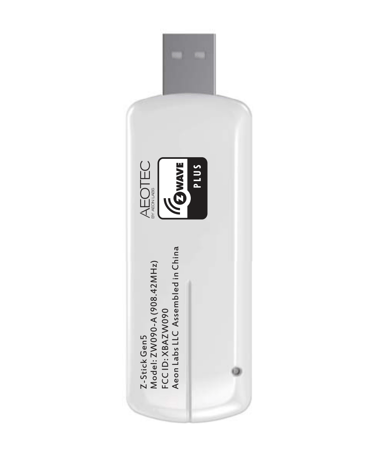
Aeotec Z-Stick Gen5 is a USB controller.
Aeotec Z-Stick Gen5 is a USB controller. When connected to a host controller via USB, it enables the host controller to take part in the Z-Wave network. Products that are Z-Wave certified can be used and communicate with other Z-Wave certified devices.


81 - Enable/disable the LED indicator
This parameter is used to enable/disable the LED indicator.Size: 1 byte
Default: 1
Minimum: 0
Maximum: 0
Possible values
| From | To | Desription |
|---|---|---|
| 0 | 0 | Disable. |
| 1 | 1 | Enable. |
220 - Configure the RF power level
This parameter is used to configure the RF power level. Note: There are 10 levels can be configured for the RF power level. Value=1, which is the minimum level. value =10, which is the maximum level.Size: 1 byte
Default: 10
Minimum: 0
Maximum: 0
Possible values
| From | To | Desription |
|---|---|---|
| 1 | 10 | There are 10 levels can be configured for the RF power level |
242 - Enable/disable Security network
This parameter is used to enable/disable security network.Size: 1 byte
Default: 0
Minimum: 0
Maximum: 0
Possible values
| From | To | Desription |
|---|---|---|
| 0 | 0 | Disable |
| 1 | 1 | Enable. |
252 - Enable/disable the configuration parameters to be locked.
This parameter is used to Enable/disable the configuration parameters to be locked. (0== disable, 1== enable).Size: 1 byte
Default: 0
Minimum: 0
Maximum: 0
Possible values
| From | To | Desription |
|---|---|---|
| 0 | 0 | Disable. |
| 1 | 1 | Enable. |
255 - Reset the configuration parameter to default factory setting
This parameter is used to reset all configuration parameter to default factory setting.Size: 1 byte
Default: 0
Minimum: 0
Maximum: 0
Possible values
| From | To | Desription |
|---|---|---|
| 1 | 1 | Resets all configuration parameters to default setting. |
Plug the Z-Stick into USB port of your host Controller and then click the “Learn” button on your PC/host Controller application.
N/A
Use this procedure only in the event that the primary controller is missing or otherwise inoperable. Press and hold the Action Button on Z-Stick for 20 seconds and then release.
Support Over The Air for firmware Upgrade.
Plug the Z-Stick into USB port of your host Controller and then click the “Inclusion” button on your PC/host Controller application.
Plug the Z-Stick into USB port of your host Controller and then click the “Exclusion” button on your PC/host Controller application.