Safetech Products
The Quickbox - Home Edition
QBBIOZW
Notification Sensor
02
ZM5202
6.51.06
0x023C (572)
0x0001 (1)
0x0001 (1)
ZC10-15060009
2015-06-15 12:43:02.8128
N/A
Enhanced 232 Slave
Always On Slave
The Quickbox is the perfect protection for your personal belongings such as jewelry, heirlooms, currency travel documents and much more! The Quickbox has cutting edge technology, state-of-the-art design, and incredible features that allows quick access to your valuables a reality.
TThe Quickbox is the perfect protection for your personal belongings such as jewelry, heirlooms, currency travel documents and much more! The Quickbox has cutting edge technology, state-of-the-art design, and incredible features that allows quick access to your valuables a reality. The Z-wave technology integration coupled with the RF + Biometrics allows for monitoring of your possessions right on your handheld devices. The QuickBox accentuates the protection of your belongings inside the home. Aircraft strength aluminum alloy provides added strength to the Quickbox. Product Features: 360° Biometric fingerprint scanner NFC Scanner Aircraft strength aluminum alloy shell Internal motion/vibration sensor with audible alarm 2 USB ports for charging devices or connecting accessories Z-wave enabled technology
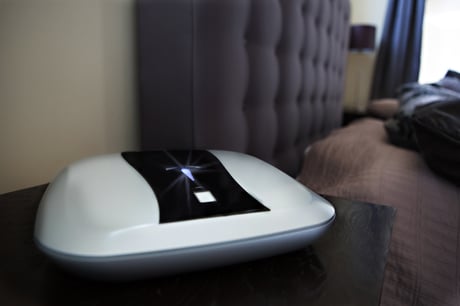
Product Picture
Adding The Quickbox to your Z-Wave network (Inclusion): Prepare your Z-Wave controller to add a device to the network (refer to your controller's user manual.) Push the Z-Wave button on The Quickbox.
Removing The Quickbox from your Z-Wave network (Exclusion): Prepare your Z-Wave controller to remove a device from the network (refer to your controller's user manual) Push the Z-Wave button on The Quickbox.
Manual Reset: To reset The Quickbox Z-Wave settings to its factory defaults, hold the Z-Wave button for 5 seconds. Use the reset procedure only when the primary controller is missing or inoperable.