Philio
Temperature and Humidity sensor
PAT02-1B
Multilevel Sensor
01
SD3502
6.51.06
0x013C (316)
0x0002 (2)
0x0020 (32)
ZC10-15060010
2015-06-16 05:21:26.6256
N/A
Enhanced 232 Slave
Reporting Sleeping Slave
The PAT02-1B has temperature and humidity sensors, based on Z-Wave technology.
The flood multisensor PAT02 has temperature and humidity,based on Z-Wave™ technology. It is the Z-Wave™ plus product, it support the security, OTA... Those newest features of the Z-Wave™ technology. Z-Wave™ is a wireless communication protocol designed for home automation, specifically to remotely control applications in residential and light commercial environments. The technology uses a low-power RF radio embedded or retrofitted into home electronics devices and systems, such as lighting, home access control, entertainment systems and household appliances. This product can be included and operated in any Z-Wave™ network with other Z-Wave™ certified devices from other manufacturers and/or other applications. All non-battery operated nodes within the network will act as repeaters regardless of vendor to increase reliability of the network. The device adopt the Z-Wave™ 500 series chip, when your Z-Wave™ network system is all made by Z-Wave™ 500 series devices. The network system will have the advantages as below. • Concurrent multi-channel support reduces external interference. • Better RF range, improve about 10 meters in indoor. • Support 100 Kbps transmit speed, speed up communication.
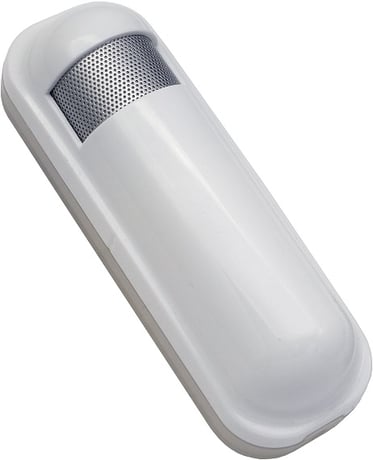
Product Picture


5 - Operation Mode
Operation mode. Using bit to control.Size: 1 byte
Default: 33
Minimum: 0
Maximum: 0
Possible values
| From | To | Desription |
|---|---|---|
| 8 | 8 | Setting the temperature scale. 0: Fahrenheit, 1:Celsius |
7 - Customer Function
Customer function switch, using bit control.Size: 1 byte
Default: 0
Minimum: 0
Maximum: 0
Possible values
| From | To | Desription |
|---|---|---|
| 32 | 32 | Disable Multi CC in auto report. (1:Disable, 0:Enable) |
| 16 | 16 | Notification Type, 0: Using Notification Report. 1: Using Sensor Binary Report. |
10 - Auto Report Battery Time
The interval time for auto report the battery level. 0 means turn off auto report. The default value is 12. The tick time can setting by the configuration No.20.Size: 1 byte
Default: 12
Minimum: 0
Maximum: 0
Possible values
| From | To | Desription |
|---|---|---|
| 0 | 127 | The interval time for auto report the battery level. |
13 - Auto Report Temperature Time
The interval time for auto report the temperature. 0 means turn off auto report. The default value is 12. The tick time can setting by the configuration No.20.Size: 1 byte
Default: 12
Minimum: 0
Maximum: 0
Possible values
| From | To | Desription |
|---|---|---|
| 0 | 127 | The interval time for auto report the temperature. |
14 - Auto Report Humidity Time
The interval time for auto report the humidity. 0 means turn off auto report. The default value is 12. The tick time can setting by the configuration No.20.Size: 1 byte
Default: 12
Minimum: 0
Maximum: 0
Possible values
| From | To | Desription |
|---|---|---|
| 0 | 127 | The interval time for auto report the humidity. |
20 - Auto Report Tick Interval
The interval time for auto report each tick. Setting this configuration will effect configuration No.10, No.13, No.14 and No.15.Units of one minute. Caution1: Setting to 0 means turn off all auto report function. Caution2: The value is unsigned byteSize: 1 byte
Default: 30
Minimum: 0
Maximum: 0
Possible values
| From | To | Desription |
|---|---|---|
| 0 | 255 | The interval time for auto report each tick. |
21 - Temperature Differential Report
The temperature differential to report. 0 means turn off this function. The unit is Fahrenheit. Enable this function the device will detect every 10 seconds. And when the temperature is over 140 degree Fahrenheit, it will continueSize: 1 byte
Default: 1
Minimum: 0
Maximum: 0
Possible values
| From | To | Desription |
|---|---|---|
| 0 | 127 | The temperature differential to report. 0 means turn off this function. |
23 - Humidity Differential Report
The humidity differential to report. 0 means turn off this function. The unit is percentage. Enable this function the device will detect every 10 seconds.Size: 1 byte
Default: 5
Minimum: 0
Maximum: 0
Possible values
| From | To | Desription |
|---|---|---|
| 0 | 60 | The humidity differential to report. |
1. Have Z-Wave™ Controller entered inclusion mode. 2. Pressing the tamper key three times within 1.5 seconds to enter the inclusion mode. 3. After add successful, the device will wake to receive the setting command from Z-Wave™ Controller about 20 seconds.
1. Have Z-Wave™ Controller entered exclusion mode. 2. Pressing tamper key three times within 1.5 seconds to enter the exclusion mode. Node ID has been excluded.
When the device power on, the device will wake about 20 seconds. In this duration, the controller can communicate with the device. Normally the device is always sleeping to save the battery energy.
Notice: Use this procedure only in the event that the primary controller is lost or otherwise inoperable. 1. Pressing tamper key four times within 1.5 seconds and do not release the tamper key in the 4 th pressed, and the LED will light ON. 2. After 3 seconds the LED will turn OFF, after that within 2 seconds, release the tamper key. If successful, the LED will light ON one second. Otherwise, the LED will flash once. 3. IDs are excluded and all settings will reset to factory default.
1. Have Z-Wave™ Controller entered association mode. 2. Pressing tamper key three times within 1.5 seconds to enter the association mode. Note: PAT02-1A and PAT02-1C are support 2 groups, and PAT02-1B only support 1 group. The group 1 is for receiving the report message, like triggered event, temperature, humidity etc. The group 2 is for the light control, the device will send the “Basic Set” command to this group. And each group support 8 nodes maximum.