Jasco Products Company
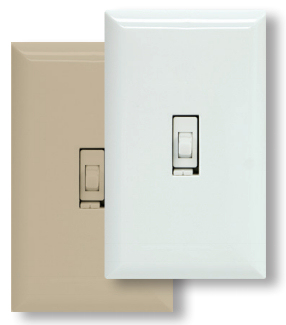
In-Wall Smart Switch (White Toggle)
14319.0
On/Off Power Switch
HW: 255
ZM5202
6.51.06
0x0063 (99)
0x4952 (18770)
0x3131 (12593)
ZC10-15060024
2015-06-19 13:28:40.2048
N/A
Enhanced 232 Slave
Always On Slave
Transform any home into a smart home with the Jasco Z-Wave Smart Switch. The In-Wall Smart Switch can easily replaces any standard in-wall switch and remotely controls a light in your home
Transform any home into a smart home with the Jasco Z-Wave Smart Switch. The In-Wall Smart Switch can easily replaces any standard in-wall switch and remotely controls a light in your home. Your home will be equipped with ultimate flexibility with the Jasco Z-Wave Smart Switch, capable of being used by itself or with up to four add-on switches. Screw terminal installation provides improved space efficiency when replacing existing switches and the integrated LED indicator light allows you to easily locate the switch in a dark room. The Jasco Z-Wave In-Wall Smart Switch is compatible with any Z-Wave certified gateway, providing access to many popular home automation systems. Take control of your home lighting with Jasco Z-Wave Smart Lighting Controls! Z-Wave is the world’s largest ecosystem of interoperable smart home products. Z-Wave lighting controls provide an easy-to-install and affordable system to control lighting and small appliances in your home. Add GE Z-Wave lighting controls to a Z-Wave certified gateway to access and control your home from anywhere in the world using your smartphone, tablet or computer as a home automation command center. Never worry if you accidentally left the lights on because you can turn them off remotely or program your lights to go on/off at specific times. Create customized lighting scenes for any occasion such as a “go to sleep” scene or a “movie night” scene. Give the illusion that someone is home by programming the lights to turn on/off while you are away—perfect for deterring crime and adding additional security!"


1 - Invert Switch
If the switch is accidentally installed upside down with “On” at the bottom and “Off” at the top, the default On/Off rocker settings can be reversed by changing parameter 4’s value to “1”.Size: 1 byte
Default: 0
Minimum: 0
Maximum: 0
Possible values
| From | To | Desription |
|---|---|---|
| 0 | 0 | Default |
| 1 | 1 | Invert Switch |
Adding your device to a Z-wave network: 1. Follow the instructions for your Z-wave certified controller to include a device to the Z-wave network. 2. Once the controller is ready to include your device, press up and release the toggle to include it in the network. 3. Once your controller has confirmed that the device has been included, refresh the Z-wave network to optimize performance. Please reference the controller’s manual for instructions. Now you have complete control to turn your fixture ON/OFF or dim according to groups, scenes, schedules and interactive automations programmed by your controller. If your Z-wave certified controller features Remote Access, you can now control your fixture from your mobile devices.
To exclude and reset the device 1. Follow the instructions for your Z-wave certified controller to exclude a device from the Z-wave network. 2. Once the controller is ready to Exclude your device, press up and release the toggle to exclude it from the network.
To return your switch to factory defaults: 1. Quickly press ON (Up) button three (3) times then immediately press the OFF (Down) button three (3) times. Note: This should only be used in the event your network’s primary controller is missing or otherwise inoperable.