Venstar
Voyager
T3700 / T3800 / T3900 / T4700 / T4800 / T4900
Thermostat - HVAC
01
ZM5202
6.51.06
0x0198 (408)
0x0003 (3)
0x0001 (1)
ZC10-15070024
2015-07-23 08:39:38.1188
N/A
Enhanced Slave
Always On Slave
Voyager offers users connectivity and the convenience of rich features in seven new models, each with its own set of features and affordable price points.
Venstar Voyager thermostat features include: • Large, easy-to-read display with: o Scrolling information for easy setup o Adjustable backlight intensity o Backlit, color-coded buttons and legends o Bi-color LED that indicates a heating or cooling demand o Choice of Fahrenheit or Celsius display o Display that can show dealer name, phone number and service alerts o Choice of English, Spanish or French • HVAC system integration, including: o Gas, electric or heat pump, including multi-stage systems o Dry contact input o Outdoor sensor ready o Compatibility with condensate overflow warning systems by showing a lockout compressor message on the display • Keypad Lock • Non-volatile memory • Wireless connectivity with optional accessory • Automated Demand Response (ADR) ready • Equipment Fault Protection (EFP) notification • API available There are three models of Voyager residential thermostats, all of which feature “Simple as You Want” operation with a choice of 7-day, 5+2 day or 1-day programming. o Model T3700 features 2 heat, 1 cool stages. o Model T3800 features 4 heat, 1 cool stages plus control to monitor a second temperature sensor, setpoint limiting and smart recovery. o Model T3900 is dual fuel capable, controls humidification/dehumidification and lockout auxiliary heat based on outdoor temperature. There are three models of Voyager commercial thermostats, plus a model designed specifically for the school environment, all of which are Title 24 compliant and offer Random Start functionality. o Model T4700 is non-programmable and features 2-heat and 2-cool functionality with setpoint limiting. o Model T4800 features “Simple as You Want” operation with a choice of 7-day, 5+1+1 day or 1-day programming with up to three occupied periods per day. o Model T4900 includes all of the T4800 features plus the ability to control or monitor a second temperature sensor, controls humidification/dehumidification, and Energy Watch functionality. o Model T4900SCH has unique programming and security capabilities specifically designed for the classroom. For more information about Venstar’s Voyager thermostats, please visit: http://www.venstar.com
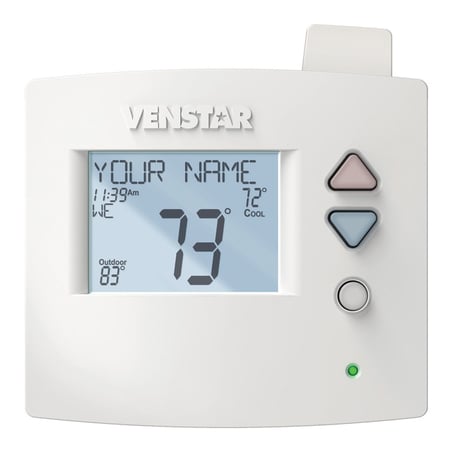
Product Picture
Press the Accessory Setup button to enter the Z-Wave Network setup: Press the Cooler button to join the Z-Wave Network and start the connection process on the Z-Wave controller.
Press the Accessory Setup button to enter the Z-Wave Network setup: Press the Warmer button to remove this thermostat from the Network. When prompted, press the Warmer button again to confirm thermostat removal from the Z-Wave network. If the controller is not present, press the Fan button to remove the thermostat forcefully from the network.
Press the Accessory Setup button to enter the Z-Wave Network setup: Press the Warmer button to remove this thermostat from the Network. When prompted, press the Warmer button again to confirm thermostat removal from the Z-Wave network. If the controller is lost or otherwise inoperable, press the Fan button to remove the thermostat forcefully from the network.