Climax Technology
Water Sensor
WS-15ZW
Notification Sensor
01
ZM5202
6.51.06
0x018E (398)
0x0003 (3)
0x0003 (3)
ZC10-15080008
2015-08-10 14:19:22.4488
N/A
Enhanced 232 Slave
Reporting Sleeping Slave
The WS-15ZW is a Z-Wave water sensor designed to detect leaks/floods and to prevent water damage.
The WS-15ZW is a Z-Wave water sensor designed to detect leaks/floods and to prevent water damage. During a water alarm, the WS-15ZW generates a 95-decibel siren and flashes its red LED, providing audible and visual alerts to prompt a timely response.
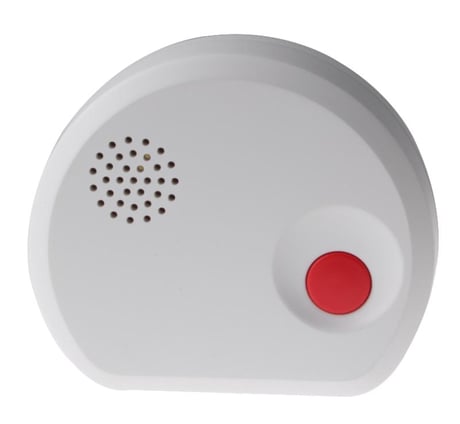
Product Picture
This product can be included and operated in any Z-Wave network with other Z-Wave certified devices from other manufactures and/or other applications. All non-battery operated nodes within the network will act as repeaters regardless of vendor to increase reliability of the network. -Open the cover by removing the bottom fixing screw (using a Philips screwdriver) on the Water Sensor. -Insert the battery in the battery compartment -Put the Z-wave gateway or control panel into Inclusion or Learning mode (please refer to the Z-wave gateway or control panel manual). -Within 1.5 seconds, press the Test Button 3 times. -Refer to the operation manual of the Z-wave gateway or control panel to complete the learn-in process. -If the sensor has already been included (learnt) into another Z-wave Gateway/Control Panel, or if the sensor is unable to be learnt into the current Z-wave Gateway/Control Panel, please exclude it first (see Exclusion) before attempting to include it into the current Z-wave Gateway/Control Panel. -Reattach the cover to the base and tighten the bottom-fixing screw.
The Water sensor must be removed from existing Z-wave network before being included into another. There are two methods available to exclude a device: Exclusion Mode -Put the Z-wave gateway or control panel into Exclusion mode (please refer to the Z-wave gateway or control panel manual). -Within 1.5 seconds, press the Test Button 3 times and the Water sensor will be removed from the Z-wave network.
This function uses the Z-Wave Wake Up Command Class. The Wake Up Command Class allows the battery-powered Water Sensor to notify the Control Panel/Gateway that it is awake and ready to receive any queued commands. The wake up interval time period is programmed automatically according to Control Panel’s setting when The Water Sensor is included. The recommended setting of the interval time is between 30 to 60 minutes.
(Only use factory reset when network Control Panel/Gateway is missing or inoperable). -Press and hold the Test Button of the Water sensor for 12 seconds to factory reset.