SAMSUNG SDS
SHP-DP720MK
SHP-DP720MK
Door Lock Keypad
01
ZM5101
6.51.06
0x022E (558)
0x0001 (1)
0x0001 (1)
ZC10-15090015
2015-09-14 15:51:34.6448
N/A
Enhanced 232 Slave
Listening Sleeping Slave
Samsung Push Pull Door Lock / Black
Touch Screen Type Push Pull Door Lock. The Samsung SDS Z-Wave Door Lock is a security enabled Z-Wave Plus product that is able to use encrypted Z-Wave Plus messages to communicate to other security enable Z-Wave Plus products.
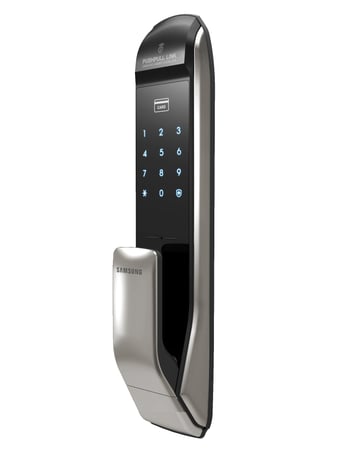
Product Picture
① Click [Add] icon in Z-Wave PC Conroller Program. ② Press the [REG] button for 3 seconds. (Ding dong -> Ding ding) ③ Press the [*] button after pressing the [00[*] button. ( Success : Ding dong dang, Fail : Ding dong Ding dong )
After exclusion from Z-Wave Netwokr, , it will no longer be remotely-controlled via the controller. ① Click [Remove] icon in Z-Wave PC Conroller Program. ② Press the [REG] button for 3 seconds. (Ding dong -> Ding ding) ③ Press the [*] button after pressing the [00] button. (Success : Ding dong dang, Fail : Ding dong Ding dong)
All registered Master/User data will be deleted, and Master PIN Code is set to ‘1234’. Also Z-Wave Door Lock is being removed from a network. ① Press the [REG] button for 3 seconds. (Ding dong -> Ding ding) ② Press the [*] button after pressing the [4560852580] button. (Success: Ding ding dang, Fail : Ding dong Ding dong) ※ Use this procedure only in the event that the network primary controller is missing or otherwise inoperable.
Privacy Mode Function, Setting the Security Function, Lockout Mode, Intrusion Detection Function, Sound Setting