Telldus
Door/window sensor
TZDW-100
Notification Sensor
1.0
ZM5202
6.51.06
0x0176 (374)
0x0005 (5)
0x0001 (1)
ZC10-15100003
2015-09-25 15:35:33.3512
N/A
Enhanced 232 Slave
Reporting Sleeping Slave
Door/window sensor
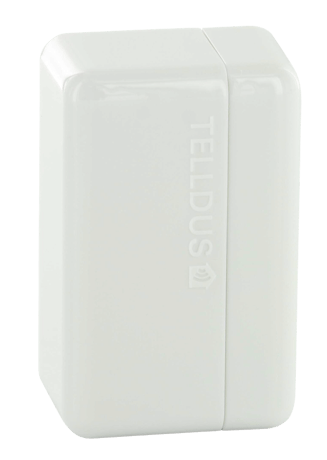
This magnet sensor contains the latest Z-Wave technology with the ability to remotely control other Z-Wave units available in your network. The fact that it is battery operated and so small you can virtually place it anywhere you want – on doors, windows or drawers, without the need of wiring. Screw or tape up the holder and then click the sensor in place. Done! The sensor is designed to be seen as little as possible and we have made it significantly smaller than other sensors. It consists of two parts that will merge into a stylish unit when the sensor is closed.


1 - Select what type of command to be sent to nodes in association group 2
Select what type of command to be sent to nodes in association group 2Size: 1 byte
Default: 0
Minimum: 0
Maximum: 0
Possible values
| From | To | Desription |
|---|---|---|
| 0 | 0 | Basic |
| 1 | 1 | Switch Binary |
| 2 | 2 | Switch All |
| 3 | 3 | Switch Multilevel |
2 - Select value that should be sent to association group 2
Select what value that should be sent to association group 2 when Swith Multilevel is set in configuration 1. Use 1-99 for specific dim-level, -1 return to last value. Should only be changed when Swith Multilevel is set in configuration 1.Size: 1 byte
Default: -1
Minimum: 0
Maximum: 0
Possible values
| From | To | Desription |
|---|---|---|
| 0 | 99 | Dim-level |
| -1 | -1 | Last value |
3 - Type of signals to association group 2
When this configuration is set to inverted, an off-signal will be sent when the sensor is opened and on-signal when it's closed instead of the opposite.Size: 1 byte
Default: 0
Minimum: 0
Maximum: 0
Possible values
| From | To | Desription |
|---|---|---|
| 0 | 0 | Normal |
| 1 | 1 | Inverted |
4 - Select what type of command to be sent to nodes in association group 3
Use Basic to control ON/OFF-devices, use Switch Multilevek to control dimmer-devices.Size: 1 byte
Default: 0
Minimum: 0
Maximum: 0
Possible values
| From | To | Desription |
|---|---|---|
| 0 | 0 | Basic |
| 1 | 1 | Switch Binary |
| 2 | 2 | Switch All |
| 3 | 3 | Switch Multilevel |
5 - Select value that should be sent to association group 3
Size: 1 byte
Default: -1
Minimum: 0
Maximum: 0
Possible values
| From | To | Desription |
|---|---|---|
| 0 | 99 | Dim-level |
| -1 | -1 | Last value |
6 - Type of signals to association group 2
When this configuration is set to inverted, an off-signal will be sent when the sensor is opened and on-signal when it's closed instead of the opposite.Size: 1 byte
Default: 0
Minimum: 0
Maximum: 0
Possible values
| From | To | Desription |
|---|---|---|
| 0 | 0 | Normal |
| 1 | 1 | Inverted |
7 - LED-Indicator
Select if the LED indicator shold be active or not. Turn it off to reduce the power consumption.Size: 1 byte
Default: 1
Minimum: 0
Maximum: 0
Possible values
| From | To | Desription |
|---|---|---|
| 0 | 0 | OFF |
| 1 | 1 | ON |
8 - Type of command to be sent in the Lifeline
Size: 1 byte
Default: 0
Minimum: 0
Maximum: 0
Possible values
| From | To | Desription |
|---|---|---|
| 0 | 0 | Notification |
| 1 | 1 | Sensor binary |
Automatically add device to network When a battery is inserted, the device is in automatical add mode for one minute (Network Wide Inclusion, NWI). This means that the device is added automatically when the Z-Wave controller enters add mode. Manual add device to network Start the add mode on the Z-Wave controller. Press the button on the device three times fast. The device will now be added into the Z-Wave-network.
Start the exclusion mode on the Z-Wave controller. Press the button on the device three times fast. The device will now be removed from the Z-Wave-network.
Press the button on the sensor one time short to wake up the device.
Press and hold the button until the LED starts flashing (approx. 6 seconds). Press the button once more, short. The device will now reset to factory defaults. The LED will now flash, indicating that it’s no longer added in any Z-Wave network. Please note! Only use the reset procedure when the primary controller is missing or inoperable.