Sentek
Door/window sensor
ZC-100
Notification Sensor
01
ZM5202
6.51.06
0x0185 (389)
0x0003 (3)
0x0008 (8)
ZC10-15090019
2015-09-21 17:16:26.27
N/A
Enhanced 232 Slave
Reporting Sleeping Slave
ZC-100 surface mount sensor is a battery-powered Z-Wave magnetic door/window contact sensor which is used to indicated the door/window on-off status.
Sentek’s ZC-100 surface mount sensor is a battery-powered Z-Wave magnetic door/window contact sensor for surface mounting. ZC-100 sends radio signals when the Switch and actuate-magnet separate. By taking advantage of Z-Wave mesh network, commands can be routed to their destination via intermediary “listening” Z-Wave products. Products that are Z-Wave certified can be used and communicate with other Z-Wave certified devices. The Sentek Door / Window Sensor is designed for use with scenes in home automation systems, alarm and surveillance systems and everywhere else where information related to opening / closing of doors, windows, garage gates, etc. is needed. Suitable for smart home systems.
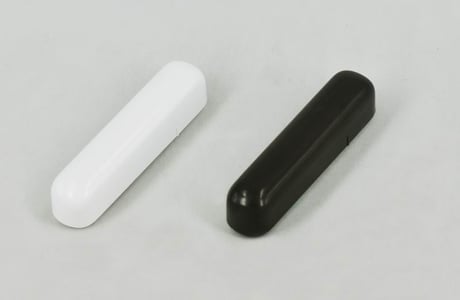
Product Picture


1 - LED Controll
Available parameter settings: 0 - LED disable, 1 - LED enableSize: 1 byte
Default: 1
Minimum: 0
Maximum: 0
Possible values
| From | To | Desription |
|---|---|---|
| 0 | 1 | LED controll |
| 0 | 0 |
4 - Type of IN input
Available parameter settings: 0 – INPUT_NO (Normal Open) 1 – INPUT_NC (Normal Close)Size: 1 byte
Default: 0
Minimum: 0
Maximum: 0
Possible values
| From | To | Desription |
|---|---|---|
| 0 | 1 | Type of IN input |
| 0 | 0 |
5 - Type of control frame transmitted, activated via IN input.
The parameter allows you to specify the type of an alarm frame or to force control frames transmission (BASIC_SET) Default value: 255 – BASIC SET Available parameter settings: 1 – ALARM SMOKE frame 2 – ALARM CO frame 3 – ALARM CO2 frame 4 – ALARM OVERHEAT frame 5 – ALARM WATER frame 255 – Control frame BASIC_SETSize: 1 byte
Default: 255
Minimum: 0
Maximum: 0
Possible values
| From | To | Desription |
|---|---|---|
| 1 | 5 | the type of an alarm frame |
| 255 | 255 | force control frames transmission (BASIC_SET) |
1.Install the device for correct positioning of the Sensor and the magnet according to the manual. 2.Set the Z-Wave controller to the inclusion mode. 3.The ZC-100 Door/Window Sensor is added to the network by quickly pressing the TMP button three times . 4. Correct inclusion of the device to the network will be signalled by the Z-Wave controller.
1.Install the device for correct positioning of the Sensor and the magnet according to the manual. 2.Set the Z-Wave controller to the exclusion mode. 3.The ZC-100 Door/Window Sensor is delete from the network by quickly pressing the TMP button three times. 4. Correct exclusion of the device from the network will be signalled by the Z-Wave controller.
Any action of TMP button and the magnetic sensor will wakeup the product. And by default every 5 minutes the product will wakeup.
Note: Use the reset procedure only in the event that the network primary controller is missing or otherwise inoperable. 1. Pressed the TMP button more than 5 seconds. 2. Release the TMP button while the device's Led start blinking. 3. Reset is performed.