Honeywell Home (Resideo)
Lynx Touch
L7000-ME
Central Controller
HW: 1 FW: 7.00
ZM5202
6.51.06
0x0039 (57)
0x1001 (4097)
0x0007 (7)
ZC10-16015006
2015-10-01 15:22:47.5898
N/A
Static Controller
Central Static Controller
Connected Home Controller
The Honeywell LYNX Touch control is a security enabled Z-Wave® device that is designed to automate devices in a home control network. The control allows you to easily add and control multiple devices with the press of a button and supports Z-Wave Network Wide Inclusion (NWI) mode.
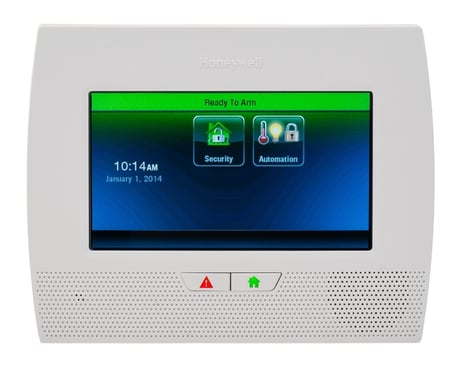
Product Picture
Press the Automation icon on the LYNX Touch Home Screen to access Z-Wave Home Automation features. Use down arrow to scroll to the Automation Screen Page 2, and press Tools button to access Advanced Tools option. Press Advanced Tools button to access additional Z-Wave options, and then press Learn button to put the controller into learn mode.
Press the Automation icon on the LYNX Touch Home Screen to access Z-Wave Home Automation features. Use down arrow to scroll to the Automation Screen Page 2, and press Tools button to access Advanced Tools option. Press Advanced Tools button to access additional Z-Wave options, and then press Reset Controller button.
Press the Automation icon on the LYNX Touch Home Screen to access Z-Wave Home Automation features. Use down arrow to scroll to the Automation Screen Page 2, and press Tools button to access Z-Wave Device Management Screen. Then press Include Devices button to enter inclusion mode and ready to include another Z-Wave product.
Press the Automation icon on the LYNX Touch Home Screen to access Z-Wave Home Automation features. Use down arrow to scroll to the Automation Screen Page 2, and press Tools button to access Z-Wave Device Management Screen. Then press Exclude Devices button to enter exclusion mode and ready to exclude another Z-Wave product.