GoControl
Z-Wave Smart Switch Cover
WA00Z-1
Wall Controller
HW: 255
ZM5202
6.51.06
0x020E (526)
0x5343 (21315)
0x3132 (12594)
ZC10-15100009
2015-10-12 14:12:50.675
N/A
Enhanced 232 Slave
Portable Slave
Smart Switch Cover with Z-Wave radio. The WA00Z-1 can control the Z-Wave Smart LED Bulb as well as other Z-Wave light control devices
Smart Switch Cover with Z-Wave radio. • Built-in Z-Wave radio - can control Z-Wave Light Bulb and switches/dimmers remotely and wirelessly • Plug and play, simple setup. Fits over an existing wall switch. • Manually turn on, off, dim your lights while keeping the smart light bulb always online in your home network • Works with different types and brands of Z-Wave LED Light control devices • Powered by Z-Wave® 500 Series module inside • Manual reset capability • Powered by 2 pieces of standard CR2032 Lithium Coin Cell with long battery life
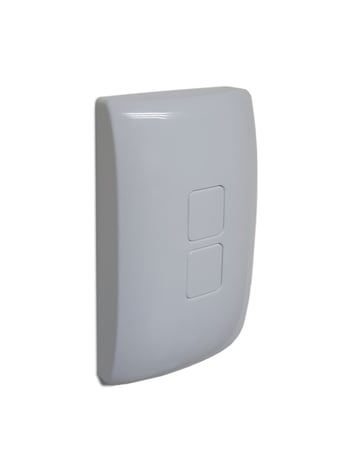
Product Picture


1 - Activation of Central Scene
The Valid Values can be set from 0 to 99. Each Valid Value can turn on two scenes. If the Valid Value is set to N, top button is assigned to control 2N+1 scene, and bottom button is assigned to control 2N+2 scene. For example, if the value is set as 4, Scene #7 will be activated when top button is pressed, Scene #8 will be activated when bottom button is pressed.Size: 1 byte
Default: 0
Minimum: 0
Maximum: 0
Possible values
| From | To | Desription |
|---|---|---|
| 0 | 99 | ZSC control scene through central scene command class |
2 - Control mode
User can set the WA00Z-1 to control other devices or they issue various scene activation commands to a central controller. When Value = 0, WA00Z-1 can activate the Scene which is pre-set by Gateway, and then control the associated Smart Bulbs in either Group 2 or Group 3. When Value = 1, WA00Z-1 can only activate the Scene which is pre-set by Gateway. When Value = 2, WA00Z-1 can only control Smart Bulbs in Association Group 2 and Group 3.Size: 1 byte
Default: 0
Minimum: 0
Maximum: 0
Possible values
| From | To | Desription |
|---|---|---|
| 0 | 2 | Issue varies scene activation commands to a central controller |
4 - Reverse Button
User can set the value to be 1, the function of top/bottom button will be reversed.Size: 1 byte
Default: 0
Minimum: 0
Maximum: 0
Possible values
| From | To | Desription |
|---|---|---|
| 0 | 1 | Reverse Button |
1. Place your network controller into Inclusion mode by following the controller manufacturer’s instructions 2. Press any button on the WA00Z-1 3. A green LED will flash twice to indicate that WA00Z-1 Inclusion is successful Note: If Inclusion still fails after the 2nd attempt, you need to first manually RESET the ZSC before repeating the above steps.
1. Place your network controller into Exclude mode by following the controller manufacturer’s instructions. 2. Press any button on the WA00Z-1 3. The LED will flash twice and WA00Z-1 exclusion is successful.
In an event that your primary controller is lost or otherwise inoperable, to reset or clear all network information, follow these steps: Factory Reset: Press TOP button 5-times then press BOTTOM button 5-times within 5 seconds