iControl Networks
One Link
CH-1000
Gateway
App: 1.6
SD3503
6.51.06
0x0106 (262)
0x0004 (4)
0x0001 (1)
ZC10-15100012
2015-10-19 09:07:24.8768
N/A
Static Controller
Central Static Controller
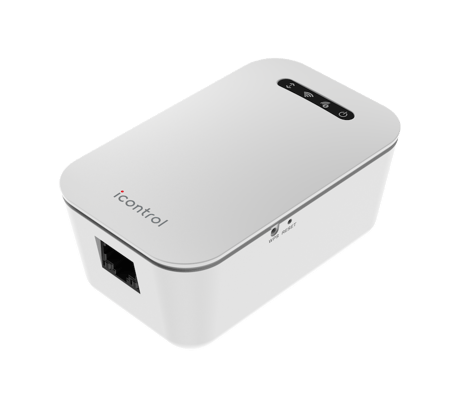
Home Automation Gateway for Icontrol One interactive security systems.
The Icontrol One Link provides users with a low cost way to extend their interactive home security system to include home automation. The device includes a dedicated Wi-Fi access point and a Z-Wave controller to provide a robust home automation solution.
To include another Z-Wave product, log into the Icontrol user interface and select ""Manage Devices"". Then select ""Z-Wave"". From the Z-Wave screen, select ""Add Z-Wave"". Perform the necessary steps on the targeted Z-Wave controller to add it to the network.
To reset the One Link to factory defaults, push and hold the ""Reset"" button for at least 15 seconds (or until all LED's begin flashing simultaneously). Note: resetting your One Link will remove it and all associated devices from your Icontrol system.
To include another Z-Wave product, log into the Icontrol user interface and select ""Manage Devices"". Then select ""Z-Wave"". From the Z-Wave screen, select ""Add Z-Wave"". Perform the necessary steps on the targeted Z-Wave device to add it to the system.
To exclude another Z-Wave product, log into the Icontrol user interface and select ""Manage Devices"". Then select ""Z-Wave"". From the Z-Wave screen, select ""Reset"". Perform the necessary steps on the targeted Z-Wave device to exclude it from the system.