Novatel Wireless
MiFi Secure
SA 1100
Gateway
1
ZM5202
6.51.06
0x0106 (262)
0x0002 (2)
0x0001 (1)
ZC10-15110012
2015-11-16 18:35:58.7328
N/A
Static Controller
Central Static Controller
3G and Home Automation Communication Module
A secure, connected home doesn’t have to be a complex project and it should be future proof. In conjunction with Icontrol Networks, Novatel Wireless has developed a simple approach for security dealers and providers with the MiFi Secure. Designed for simplicity, the MiFi Secure SA 1100 communication module fits easily inside Simon XT/XTi security panels for an instant 3G upgrade and enables the connected home leveraging the Icontrol One Interactive Security and Home Automation platform.
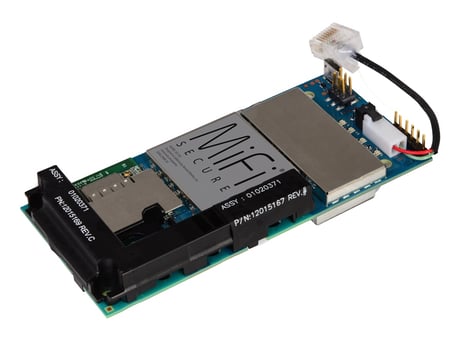
Product Picture
To reset the MiFi Secure to factory defaults, push and hold the ""Reset"" button for at least 15 seconds (or until all LED's begin flashing simultaneously). Note: resetting your MiFi Secure will remove it and all associated devices from your Icontrol system, in addition to clearing all communication settings.
To include another Z-Wave product, log into the Icontrol user interface and select ""Manage Devices"". Then select ""Z-Wave"". From the Z-Wave screen, select ""Add Z-Wave"". Perform the necessary steps on the targeted Z-Wave device to add it to the system.
To exclude another Z-Wave product, log into the Icontrol user interface and select ""Manage Devices"". Then select ""Z-Wave"". From the Z-Wave screen, select ""Reset"". Perform the necessary steps on the targeted Z-Wave device to exclude it from the system.