Modacom Co., Ltd
Smart Brain™
MIT-SB100
Central Controller
0C
ZM5202
6.51.06
0x0232 (562)
0x0001 (1)
0x0001 (1)
ZC10-15110014
2015-11-16 10:16:47.9964
N/A
Static Controller
Central Static Controller
Smart Brain™ is a smart IoT Gateway enabling control of various sensor devices through WiFi/ Bluetooth/ Z-Wave/ Ethernet interfaces and electric appliances using infrared (IR) sensors.
Smart Brain™ is an intelligent M2M/IoT gateway (Hub) for smart life and convenient life. The Smart Brain™ supports interconnection to a lot of devices with WiFi, Bluetooth, Z-wave, or infrared communication interface. Equipped with oneM2M platform, OMNIPASS, the Smart Brain also supports interworking with several IoT platforms such as AllJoyn and so on. It communicates with people through voice input on the Smart Brain™ App to provide useful life information like weather, currency, news and for controlling electronic appliances such as TV and air conditioner. The Smart Brain™ can construct security system used together with companion devices such as door sensor and supports home automation by presetting internal-external environments. Also, it can connect to Smart-Plug for efficient power management. It provides wireless Internet access point functionality too. The greatest advantage of the Smart Brain™ is that it can work together with various types of device from different venders to develop new smart M2M/IoT services.
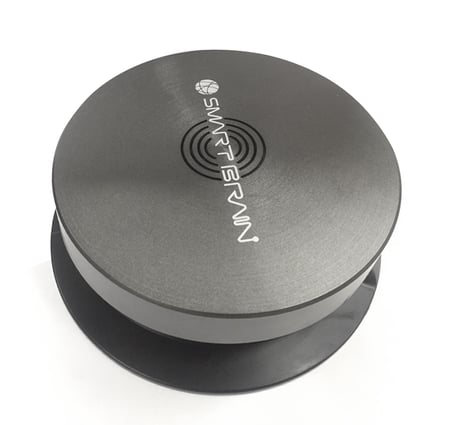
Product Picture
To include Smart Brain™ in an existing Z-Wave network, press “Learn” menu in commands. Please wait at least 10 seconds. Make sure the Smart Brain™ is included in a Z-Wave controller.
To reset a device Smart Brain™, press button “Add Devices” and press ‘Z+’ icon. When the list of Z-Wave commands is shown, press “Reset” menu in commands.
Add a new device or controller to the Z-Wave network. To connect a device to Smart Brain™, press button “Add Devices” and press ‘Z+’ icon. When the list of Z-Wave commands is shown, press “Add” menu in commands. The addition of a device is confirmed with a triple press of a node button typically. Notification will be received. When the device is detected, the device in list of device is shown if the device is connected to Smart Brain™ normally.
Remove a device or controller from the Z-Wave network. To remove a device from Smart Brain™, press button “Add Devices” and press ‘Z+’ icon. When the list of Z-Wave commands is shown, press “Remove” menu in commands. Removing a device is confirmed with a triple press of a node button typically. Notification will be received.