Remotec
ZRC-90CN
BW8510CN
Remote Control - Simple
03
ZM5202
6.51.06
0x5254 (21076)
0x000B (11)
0x8510 (34064)
ZC10-15120002
2015-11-30 14:13:04.3476
N/A
Portable Controller
Portable Controller
The ZRC-90 Scene Master is a Z-Wave Central Scene Controller. When one of the buttons on the ZRC-90 is pushed, your Z-Wave central controller will receive a signal which it can use to trigger unlimited control possibilities. With 8 buttons, each supporting a long-press capability, you can control 16 different actions in your central controller.
The ZRC-90 Scene Master is a Z-Wave Central Scene Controller. When one of the buttons on the ZRC-90 is pushed, your Z-Wave central controller will receive a signal which it can use to trigger unlimited control possibilities. With 8 buttons, each supporting a long-press capability, you can control 16 different actions in your central controller. The ZRC-90 is a great solution for triggering events more quickly than taking out your smart-phone and running a home control app. The Scene Master is ideal for kids, elderlies and guests who may not have full access to your smart home’s mobile application and hence may not have the rights to switch on various lighting, heating, air conditioning and other home appliance. With a convenient snap-in wall mount, the ZRC-90 can also be removed to keep it handy while you go about your home for the ultimate in simple convenience.
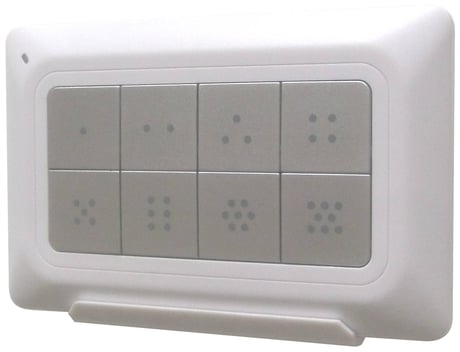
Product Picture
Press “L+R” buttons simultaneously until LED light up to add the device into ZRC-90 Z-Wave network.
Click once on the “R” button to remove the device from ZRC-90 Z-Wave network.
When prompted by your primary controller (gateway), click once on the “L” button.
Enter to the Listening mode (Wake up) by click once on “W” button.
Press and keep holding “R” button not less than 10 seconds. Release “R” button then triple click on “R” button within 2 seconds.
Create a Primary Controller - Press “W+L” buttons simultaneously until LED light up. Create a Secondary Controller - Press “W+R” buttons simultaneously until LED light up. (Place the two controllers close to each other.)