TKB Home
Smart Plug in Switch
TZ68F
On/Off Power Switch
01
ZM5202
6.51.06
0x0118 (280)
0x0003 (3)
0x0003 (3)
ZC10-15120011
2015-12-10 08:58:56.4276
N/A
Enhanced 232 Slave
Always On Slave
When you use this ON/OFF plug-in switch, just plug it into the outlet, add it to the Z-Wave controller, download the APP and you can use it to control an appliance with max. load 3500W on/off via smart phone.
1. This plug-in ON/OFF switch in a transceiver which is a Z-Wave enabled device and is fully compatible with any Z-Wave enabled network. 2. Each socket is designed to act as a repeater. Repeaters will re-transmit the RF signal to ensure the signal to ensure that the signal is received by its intended destination. 3. You can use the button in the socket to include/exclude, manually on/off or act as a indicator. You can also use it to turn on/off appliances remotely via smart home or computer.
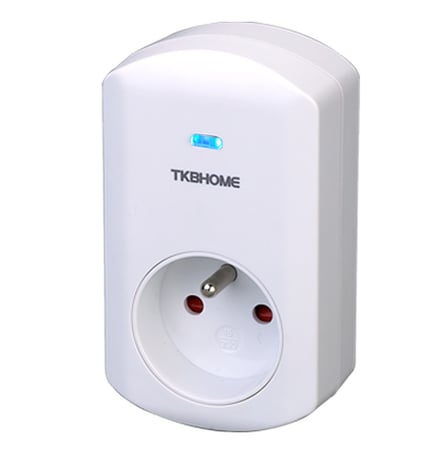
Product Picture
1. Have Z-Wave controller with inclusion mode 2. Press the socket on/off button three times within 1.5 seconds to be included to the controller
1. Have Z-Wave controller with exclusion mode 2. Press the socket on/off button three times within 1.5 seconds to be excluded from the controller
1. Press the socket on/off button three times within 1.5 seconds 2. then within 1 second to press and hold on for 5 seconds until the socket button LED is off, reset to factory default successfully 3. Use this procedure only in the event that the network primary controller is missing or otherwise inoperable