LG Uplus
Smart Plug
SPD-01A
On/Off Power Switch
01
ZM5101
6.51.06
0x018C (396)
0x0042 (66)
0x0002 (2)
ZC10-16010012
2016-01-25 12:28:00.1366
N/A
Enhanced 232 Slave
Always On Slave
This device is z-wave IoT smart Plug. this measures the amount currently being used of electricity and has the ability to power on or off the connected load.
This apparatus can remotely power on/off to the load connected through the device and can be used to measure the power usage of the load connected . So, This Device will inform you of the electricity usage of your load.
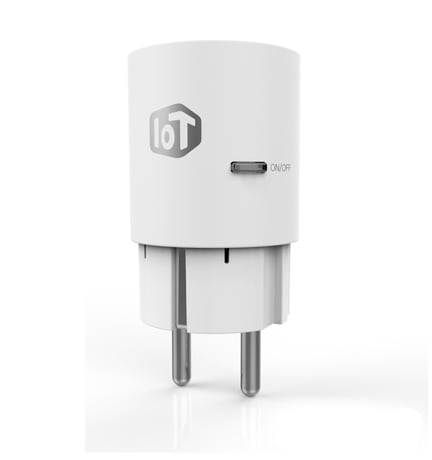
Product Picture


1 - Standby Power Setting Value
(Standby Power Setting Value : 3 Byte, Standby Power Enable/Disble : 1 Byte) Value : if the value is set by 300, standby power equals 3.00w (0x00012C) and standby power enable is 1. total 0x00012C01 ( Default : 0 – 0.00W, StandbyPower Disable)Size: 4 bytes
Default: 0
Minimum: 0
Maximum: 0
Possible values
| From | To | Desription |
|---|---|---|
| 0 | 0 |
2 - Periodic Measurement Value Transmission
Value : 1 Periodic Measurement Value Transmission Enable Value : 0 Periodic Measurement Value Transmission disable ( Default : Periodic Measurement Value Transmission Enable )Size: 1 byte
Default: 1
Minimum: 0
Maximum: 0
Possible values
| From | To | Desription |
|---|---|---|
| 0 | 1 |
3 - Accumulation Start/Stop
Value : 0 Accumulation Stop Value : 1 Accumulation Start ( Default : Accumulation Start )Size: 1 byte
Default: 1
Minimum: 0
Maximum: 0
Possible values
| From | To | Desription |
|---|---|---|
| 0 | 0 | 1 |
5 - Minumum time Interval
Minimum time interval : 10minutes Value : 1 (10minutes * 1) = 10minutes interval Value : 2 (10minutes * 2) = 20minutes interval …….. …….. Value : 144(10m * 144) = 24 hours interval =>MAX ( Default : 6 = One hour )Size: 1 byte
Default: 6
Minimum: 0
Maximum: 0
Possible values
| From | To | Desription |
|---|---|---|
| 0 | 0 |
After mounting the UZB controller to your PC and running the PC Controller program, click the Add button in the PC Controller program. Press the button on the Smart Plug for more than five seconds after you plug the Smart Plug into a power outlet and it will include to the network controller, while flashing the button LED on the Smart Plug.
After mounting the UZB controller to your PC and run the PC Controller program you can click the Remove button in the PC Controller program. If being connected PC controller, Press the button on the Smart Plug for more than five seconds after you plug the Smart Plug into a power outlet, Plug will Exclusion in the controller, while the flashing button LED on the Smart Plug.
Press the button on the Smart Plug for more than 10 seconds after you plug the Smart Plug into a power outlet will Exclusion in the network controller, Press the button of Smart Plug with your finger to 10 or more seconds continuously and if you take your finger off when the LED blinking of the device is in the Product Reset. And Device Status are initialized. ※ Please use this procedure only in the event that the network primary controller is missing or otherwise inoperable