Oomi
Touch
FT102-A
Notification Sensor
HW: 66 FW: 1.13
ZM5101
6.51.06
0x016A (362)
0x0102 (258)
0x0066 (102)
ZC10-16030007
2016-03-23 10:54:32.498
N/A
Routing Slave
Listening Sleeping Slave
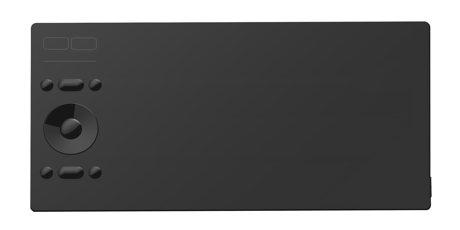
Oomi Touch is not only a touch device but also a Z-Wave touch sensor, it has built in a Z-Wave module, which let you can easily receive its sensor notifications from anywhere in the world.
Oomi Touch is a smart mobility device based on the android OS. It is not only a touch device but also a Z-Wave touch sensor, it has built in a Z-Wave module, which let you can easily receive its sensor notifications form anywhere in the world. It is also a security Z-Wave device and supports the Over The Air (OTA) feature for the product’s firmware upgrade.


80 - Configure which command would be sent when the Sensor is triggered.
To configure which command will be sent when the Sensor is triggered.Size: 1 byte
Default: 0
Minimum: 0
Maximum: 0
Possible values
| From | To | Desription |
|---|---|---|
| 0 | 0 | Send Notification Report CC. |
| 1 | 1 | Send Hail CC. |
255 - Reset your Touch
Reset your Touch.Size: 4 bytes
Default: 0
Minimum: 0
Maximum: 0
Possible values
| From | To | Desription |
|---|---|---|
| 0 | 0 | Reset the configuration parameters to default settings. |
| 1431655765 | 1431655765 | Reset the Touch to factory default settings. |
Let your primary Controller/gateway into Inclusion mode, then press once the ""Learn"" Button in the app of Touch.
Let your primary Controller/gateway into Exclusion mode, then press once the ""Learn"" Button in the app of Touch.
Press the ""Reset"" button in the app of Touch. This procedure only be used when the primary controller is missing or inoperable.
Support the Over The Air (OTA) feature for the product’s firmware upgrade.