EchoLife
EchoLife LS1015
1015.0
Central Controller
1.1.0
ZM5202
6.51.06
0x024B (587)
0x0100 (256)
0x0001 (1)
ZC10-16035018
2016-03-08 12:53:18.4548
N/A
Static Controller
Central Static Controller
LS1015 is a Z-Wave Central Static Controller
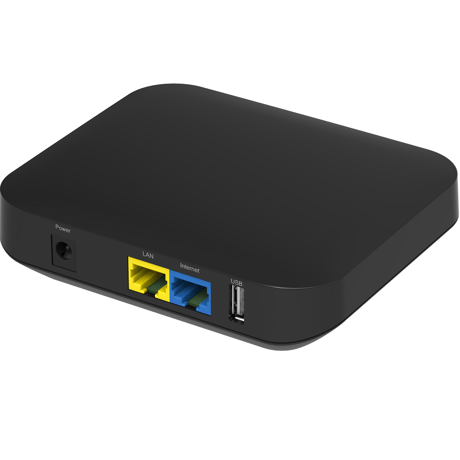
EchoLife LS1015 is a smart home device. It can works as Z-Wave Central Static Controller, and use for management of Z-Wave slave devices. Z-Wave frequency is 921.4MHz-919.8MHz
Step 1: Log in to the IoT platform with the user name and password specified. Step 2: After login, click Assets. Click Name of the gateway for which Learn Mode to be enabled Step 3: On the Details page, select OPEN for Set Learn Mode.
LS1015 is AC power supply, not battery powered.
You can login the WEB of LS1015 to set the product to the factory default state. Use this procedure only in the event that the network primary controller is missing or otherwise inoperable.
Step 1: Start the SmartHome app, and log in. Step 2: On the device management page, touch +. Then add the sensor to the gateway as prompted step-by-step.
Step 1: On the device management page, touch the sensor to be deleted. Step 2: On the device details page, touch the menu on the upper right. Step 3: In the displayed menu, touch Delete. Step 4: Delete the sensor as prompted. After each operation is complete, touch Next to go to the next page. The SmartHome app provides different pages for deleting different types of sensors. Step 5: The sensor is deleted successfully.