HomeSeer
HomeSeer HS-PD100+ Lamp Module
HS-PD100+
Light Dimmer Switch
FF
ZM5202
6.51.02
0x0184 (388)
0x4744 (18244)
0x3032 (12338)
ZC10-16020008
2016-02-23 11:43:50.8992
N/A
Enhanced 232 Slave
Always On Slave
HS-PD100+ is a Z-Wave Plus certifed plug-in lamp module that features remote wireless on/off/dim control of most lighting loads.
HS-PD100+ is a Z-Wave Plus certifed plug-in lamp module that features remote wireless on/off/dim control of most lighting loads. The unit is small in size and will work with all HomeSeer (and most other) home automation controllers.
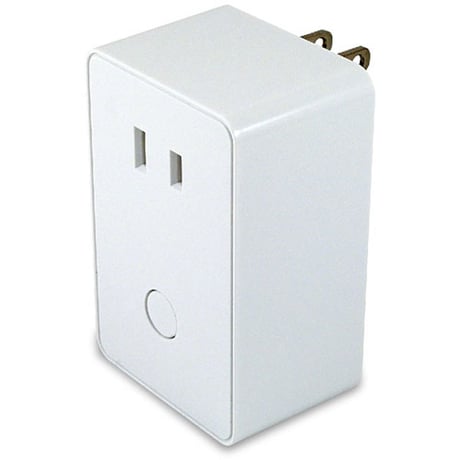
Product Picture
1. Plug the 2-pin AC power plugs of lighting device to the receptacle of HS-PD100+ 2. Insert the module's 3-pin plug into an AC outlet of your preferred location. In normal operating mode, the LED on the front panel will be lit. 3. Add(Include) the module into your network by a Z-Wave certified controller. Normally, the sequence is as follows: a. Place your network controller into inclusion mode by following the controller manufacturer's instructions b. When the controller is ready, single click the button on the front of HS-PD100+ c. The controller should indicate that the new device was added successfully.
a. Place your network controller into exclusion mode by following the controller manufacturer's instructions b. When the controller is ready, single click the button on the front of HS-PD100+ c. The controller should indicate that the device was excluded successfully.
Use this procedure only in the event that the network primary controller is lost or otherwise inoperable. 1. Unplug the HS-PD100+ from the AC outlet and also unplug the power plugs of the lighting from the module (if plugged in) 2. Press and hold the button on the HS-PD100+ 3. Plug the HS-PD100+ back into the AC outlet with the button pressed 4. After 3 seconds, release the button. If you see the button blink, that means that the HS-PD100+ has been reset successfully