Remote Solution
Open Sensor
SA08A
Notification Sensor
HW: 1 FW: 0.01
ZM5101
6.51.06
0x022C (556)
0x0003 (3)
0x0002 (2)
ZC10-16035019
2016-03-11 14:37:05.072
N/A
Enhanced 232 Slave
Reporting Sleeping Slave
Open Sensor
Remote Access via smart phone APP Detecting the status of Door/Windows equipped with Z-Wave Open Sensor and notifying the status to a customer. Checking the battery usage and reporting the low battery alarm.
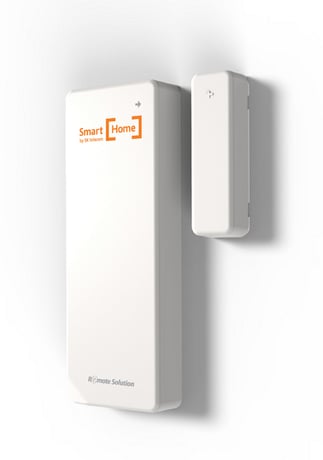
Product Picture


1 - Battery Period
Default 12 (0x0C), 0x01~0xFF in 30 minute incrementsSize: 1 byte
Default: 12
Minimum: 0
Maximum: 0
Possible values
| From | To | Desription |
|---|---|---|
| -128 | 127 | Default 12 (0x0C), 0x01~0xFF in 30 minute increments |
a. Press & hold Inclusion/Exclusion button for 5 seconds when Open Sensor is exclusion status. b. LED of Open sensor will be on 5 seconds later. c. Open sensor will try Inclusion for 30sec when button is released. d. LED will blink 3 times if Inclusion is successful.
a. Receiver will stay exclusion waiting mode. b. Press & hold Inclusion/Exclusion button for 5 seconds when Open Sensor is Inclusion status. c. LED of Open sensor will be on 5 seconds later. d. Open sensor will try Exclusion when button is released. e. LED will blink 3 times if Exclusion is successful.
a. Device sends Wake up Notification by every 15 minutes. b. Devices also sends Wake up Notification when inclusion/exclusion button is shortly pressed regardless of 15minutes interval.
a. Press & hold Inclusion/Exclusion button for 10sec. b. LED will blink while holding the button. c. Factory reset will be done in 5sec after releasing button and LED will blink 5 times. Please use this procedure only when the network primary controller is missing or otherwise inoperable.
a. Firmware auto upgrade via OTA. b. This device is a security enabled Z-Wave Plus product