Good Way Technology, Co., Ltd
Light Dimmer Switch
TD14010
Light Dimmer Switch
HW: 255 FW: 2.01
ZM5101
6.51.06
0x0068 (104)
0x0003 (3)
0x000B (11)
ZC10-16055072
2016-03-22 11:15:24.4688
N/A
Enhanced 232 Slave
Always On Slave
RGBW LED Light Dimmer Switch
The RGBW Controller uses PWM output signal, which enables it to Control LED,RGB, RGBW strips. Controlled devices may be powered by 12 or 24 VDC.
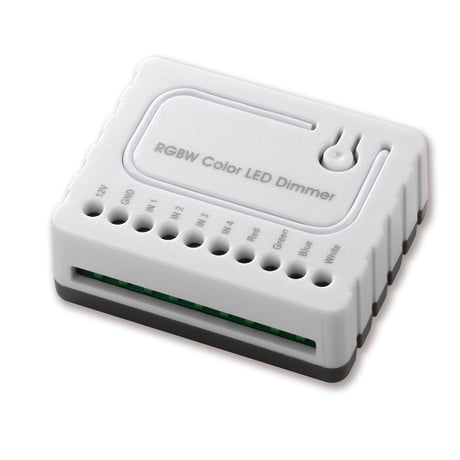
Product Picture


1 - Scene Control Cycle Time
Scene Control Cycle Time Used to control items : Ocean,Rainbow,Snow,Sun,Size: 1 byte
Default: 1
Minimum: 0
Maximum: 0
Possible values
| From | To | Desription |
|---|---|---|
| 1 | 4 | Duration times |
2 - Switch Mode
Control Switch Status: 1:Toggle Mode 2: Momentary Mode 3: App Color ControlSize: 1 byte
Default: 3
Minimum: 0
Maximum: 0
Possible values
| From | To | Desription |
|---|---|---|
| 1 | 3 | Mode |
3 - Switch Sub Mode
Turn On Select on the Switch Mode: 1: Normal Mode 2: Brightness Mode 3: Rainbow ModeSize: 1 byte
Default: 1
Minimum: 0
Maximum: 0
Possible values
| From | To | Desription |
|---|---|---|
| 1 | 3 | Sub Mode |
LED Signal:Blinking Green (Interval: 1 sec.) Touch three times (Must release in 2 sec.) Include the R.G.B.W. Color LED Dimmer into the Z-wave network, press 3 times in 2 seconds. If the device is properly included, the green light will remains on.
LED Signal:Blinking Green(Interval: 1 sec.) Touch three times (Must release in 2 sec.) Exclude the R.G.B.W. Color LED Dimmer into the Z-Wave network, press 3 times in 2 seconds. If the device is properly excluded, the green light will blink and the data will be reset to the factory default values.
When the Controller is damaged or lost, and you have already transferred the control function to an external control switch before, the product can be normally operated. In other case, please purchase a new Controller, press the Include/Exclude Button three times to exclude the device, and then include the device with the original installation steps, the device can be restored to normal operation. Please note that re-including the product will reset the data to the default values. Use this procedure only in the event that the network primary controller is missing or otherwise inoperable.