Vision
Wall Remote
ZT1141EU-5
Remote Control - Simple
HW: 2 FW: 10.03
ZM5101
3.2X
0x0109 (265)
0x1004 (4100)
0x0402 (1026)
ZC10-16045053
2016-03-18 12:17:56.4428
N/A
Portable Controller
Portable Controller
Portable Controller with Remote Control Function ...
Portable Controller with Wall Remote Control: * Basic Set Mode: 4 buttons control 4 different groups. * Central Scene Mode: 4 buttons control 4 different scenes. * Support Shift Function to Primary Controller) * Battery: CR2032 x 2
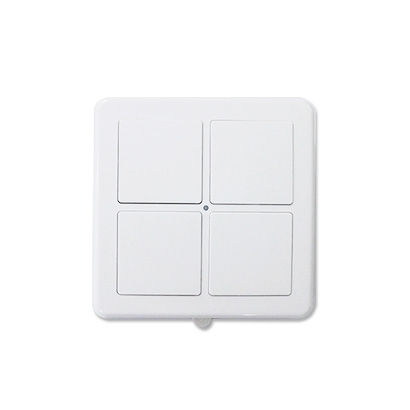
Product Picture
1) Include other devices into Wall Remote's network: * Wall Remote must be primary controller * Press I/E button until green LED flashes * Wall Remote will go back to sleep if no node info received within 10 seconds. 2) Exclude other devices from Wall Remote's network: * Wall Remote must be the primary controller * Press I/E button until red LED flashes. * Wall Remote will go back to sleep if no node info received within 10 seconds.
Press 4 buttons together for 10 seconds. The LED colors will turn red then turn green. (Green LED flashes 5 times quickly that means reset completely). Remark: This is to be used only in the case of primary controller being inoperable or otherwise unavailable.
To “Include” into (adding into) an existing network: Put the Z-Wave™ Gateway or Controller into learn mode to add the Wall Remote into your controller. Press button 1 and 4 together till the red LED flashes to be included. ZT1141 will go to sleep if adding is not successfully within 5 seconds.
To “Exclude” from (removing from) an existing network: Put the Z-Wave™ Gateway or Controller into learn mode to remove the Wall Remote from your controller. Press button 1 and 4 together till the red LED flashes to be excluded. ZT1141 will go to sleep if removing is not successfully within 5 seconds.