Dune HD
Dune HD Solo 4K
Solo4K
Central Controller
HW: 1 FW: 2.00
ZM5304
6.51.06
0x0272 (626)
0x0001 (1)
0x0001 (1)
ZC10-16035029
2016-03-22 21:38:17.0768
N/A
Static Controller
Central Static Controller
Z-Wave Controller built-in into Dune HD Solo 4K Media Player
Dune HD Solo 4K is a hybrid media player / set-top-box with built-in Z-Wave Controller function. The media player / set-top-box part is based on Sigma Designs SMP8758 media processor. It supports the playback of various kind of audio and video content (4K and FullHD video including support for HEVC video codec and 10-bit color encoding, 3D video, high-end audio formats with high resolution up to 24-bit / 192 KHz, IPTV and VOD content, digital TV channels, etc) from various sources (USB storage devices, SATA HDD, local network, Internet). The Z-Wave Controller function is based on Sigma Designs ZM5304 Z-Wave module and Z-Wave Controller software stack "Z-Way" from Z-Wave.Me. It supports controlling various types of Z-Wave devices, provides rich Z-Wave configuration and diagnostics possibilities, provides powerful Home Automation and integration features (including scripting and API).
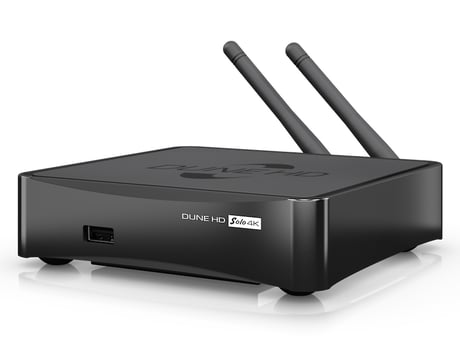
Product Picture
In the Expert Web UI (http://IP-address:8083/expert): click ""Network"" item at the top of the screen, choose ""Control"" menu item, click ""Start Learn Mode"" button.
In the Expert Web UI (http://IP-address:8083/expert): click ""Network"" item at the top of the screen, choose ""Control"" menu item, click ""Controller Factory Default"" button. NOTE: use the reset procedure with extreme care, only when the primary controller is missing or inoperable.
In the main Web UI (http://IP-address:8083): click ""Settings"" icon at the right top of the screen, choose ""Devices"" menu item, click ""Add new"" button in the ""Z-Wave"" section.
In the main Web UI (http://IP-address:8083): click ""Settings"" icon at the right top of the screen, choose ""Devices"" menu item, click ""Manage"" button in the ""Z-Wave section"", click ""Remove"" button (""X"" icon) for the selected device, click ""Start exclusion"" button.