Sentek
PIR motion sensor
ZM-800
Notification Sensor
HW: 1.1.0
ZM5202
6.51.07
0x0185 (389)
0x0003 (3)
0x0009 (9)
ZC10-16065107
2016-05-19 12:29:50.8898
N/A
Enhanced 232 Slave
Reporting Sleeping Slave
Yes
ZM-800 surface mount sensor is a battery-powered Z-Wave motion sensor based on PIR technology which is used to indicated human movement detection.
Sentek’s ZM-800 Z-Wave wireless wide-angle passive infrared detector (motion sensor) based on dual-passive infrared detection parts and microprocessor intelligent processing technology, with a unique and highly durable Fresnel lens, can provide accurate human movement detection and anti-pet feature. Integration with anti-RF interference, high temperature protection and noise suppression technology, ZM-800 has high tolerance with local temperature changes caused by the curtain or sunlight and the detection accuracy is quite high.
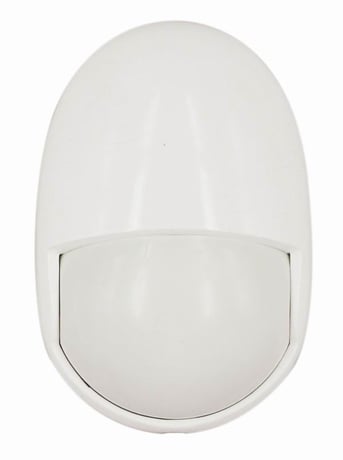
Product Picture


1 - LED Enable
0X00: LED disable 0x01: LED enableSize: 1 byte
Default: 1
Minimum: 0
Maximum: 0
Possible values
| From | To | Desription |
|---|---|---|
| 0 | 1 | LED Enable |
2 - Powerdown timeout
The power will be power down as soon as there is no activation and timeout time reached. Reserved for furture.Size: 1 byte
Default: 0
Minimum: 0
Maximum: 0
Possible values
| From | To | Desription |
|---|---|---|
| 0 | 0 | Reserved for furture. |
1. Make sure ZM-800 is in the range of the Z-Wave controller. 2. Set the Z-Wave controller to the inclusion mode. 3. Quickly pressing TP-Switch2 button 3 times on the ZM-800. 4. The ZM-800 is added to the network.
1. Make sure ZM-800 is in the range of the Z-Wave controller. 2. Set the Z-Wave controller to the exclusion mode. 3. Quickly pressing TP-Switch2 button 3 times on the ZM-800. 4. The ZM-800 is deleted from the network.
Any action of TP-switch button and the PIR sensor will wakeup the product. And by default every 5 minutes the product will wakeup itself.
Note: Use the reset procedure only in the event that the network primary controller is missing or otherwise inoperable. 1. Presse the TP-Switch2 button more than 5 seconds. 2. Z-Wave LED is start blinking. 3. Release the TP-Switch2 button right now. 4. Z-Wave LED off, reset is performed.
| Type | Value(s) |
|---|
| Sensor type |
|---|
| General Purpose |