Vera Control, Ltd.
Smart Home Controller
VeraEdge-US
Gateway
HW: 4 FW: 4.05.03.07
ZM5202
6.51.06
0x008C (140)
0x0001 (1)
0x0023 (35)
ZC10-16095226
2016-09-07 16:54:29.1182
N/A
Static Controller
Central Static Controller
VeraEdge HomeController is a easy yet powerful one-app control for cameras, door locks, sensors, thermostats and other home automation and security devices you can view and control from anywhere. Create custom scenes and sequences. Use smartphone, tablet or computer for control and setup.
VeraEdge: The Controller for Today's Expanding Smart Home Universe • One-touch control of your entire system • View all your cameras and control all your devices from one easy app • See and control your system from any smartphone or tablet from anywhere in the world (where there's Internet) • Save money on energy, automatically! • Expand your system to control over 220 devices (Z-Wave and Wi-Fi devices) • Wireless communications makes installation a breeze in any home or small business • Easy, intuitive setup with simple Q&A format; adding devices later is easy too with preconfigured settings for most devices • No monthly fees required! • Cutting edge features like geo fencing let the system know when you're coming home, automatically, when you leave, too! • One easy, intuitive app spans all platforms (Mac/Window/iOS/Android) to easily keep you in control at all times, wherever you go. • Controls all the leading brands of locks, thermostats, and other devices so you don't need to compromise when selecting components. • More device compatibility—faster processor allows greater compatibility with devices • More memory for better response times and flexibility • WPS easy push button pairing for Wi-Fi devices • Improved multi-camera management • Intuitive user set up and control • Local control of devices to avoid any latency or connectivity issues (works locally even when your Internet goes down) Use VeraEdge for convenience, to save energy, and achieve the peace of mind of knowing your family is safe and your home or small business is alright—from anywhere in the world!
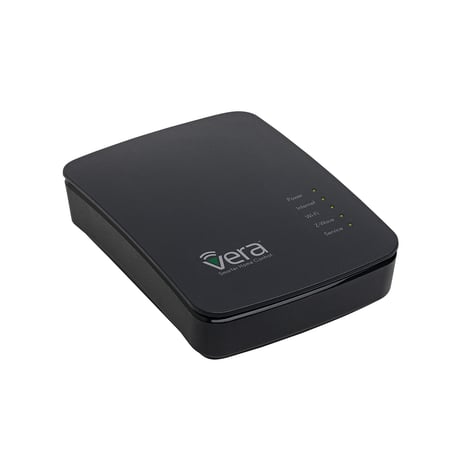
Product Picture
To include the controller into an existing Z-Wave network, use the UI and follow the steps below. Click on Settings -> Z-Wave Settings -> Advanced, select 'Copy Z-Wave network from a primary controller. This will shift the controller to have a secondary controller role and will receive data from the primary controller in the network.
If this controller is the primary controller for your network, resetting it will result in the nodes in your network being orphaned and it will be necessary after the reset to exclude and re-include all of the nodes in the network. If this controller is being used as a secondary controller in the network, use this procedure to reset this controller only in the event that the network primary controller is missing or otherwise inoperable. To reset the controller, press the reset button for 20 seconds. This will reset it to factory default.
To include a Z-Wave product into the network, you can use the UI and follow the on- screen instructions that read as follows: Select Add device -> Pick the device to be included in the network from the list -> Follow the steps for inclusion of the device -> Once the device is detected, save the name of the device and the device completes the configuration process. [Attached images along with the manual]. For an installer who wishes to carry out a manual setup of devices, tap the Sync button on the controller. To exit the inclusion mode on the controller, tap the Sync button again.
To exclude a Z-Wave product into the network, you can use the UI and follow the on- screen instructions that read as follows: Navigate to the device -> Select the delete device option -> Choose to un-pair and follow the instructions. [Attached images along with the manual]. For an installer who wishes to manually exclude a Z-Wave product from the network, hold the Sync button down for 3 seconds.
| Type | Value(s) |
|---|