Zooz
Motion Sensor
ZSE02
Notification Sensor
HW: 1 FW: 0.01
ZM5202
6.51.06
0x027A (634)
0x0500 (1280)
0x0003 (3)
ZC10-16045043
2016-04-18 12:25:47.7148
N/A
Routing Slave
Reporting Sleeping Slave
20 feet motion detection and wireless notifications (when included to a Z-Wave gateway controller). Two alternative power sources: 4 AAA batteries (not included) or micro USB cable (DC 5V / 1A).
Use this sleek and efficient motion sensor in your DIY security system or for added convenience. Trigger Z-Wave light switches when motion is detected. Receive notifications of unexpected activity while you are away. Install and add the sensor to your Z-Wave controller in minutes. Enjoy Z-Wave Plus for faster and safer wireless communication. Choose from 2 powers sources: standard AAA batteries or micro USB power adapter. Detection Radius: 110° / 16-23 feet Power: DC 5V/1A or 4 AAA (1.2V) batteries Power Consumption: < 15mA when idle / < 38mA when active Range: Up to 100 feet line of sight Operating Temperature: 14 °F to 122 °F Operating Humidity: ≤ 80% Installation and Use: Indoor only
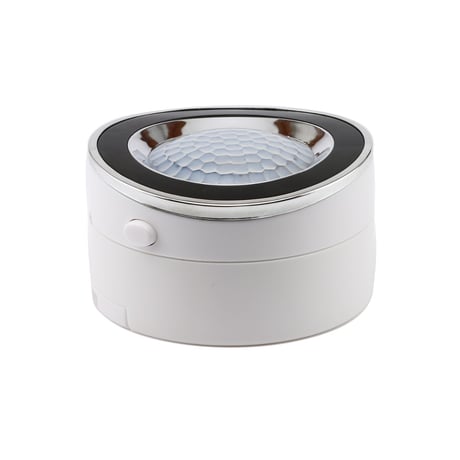
Product Picture
1. Bring the motion sensor within 3 feet from your controller. 2. Put your Z-Wave controller in inclusion mode. 3. Press and release the Z-Wave button on the motion sensor TWICE quickly (to lock and unlock it). 4. A new motion detection device should appear on your controller's dashboard.
1. Bring the motion sensor within 3 feet from your controller. 2. Put your Z-Wave controller in exclusion mode. 3. Press and release the Z-Wave button on the motion sensor TWICE quickly (to lock and unlock it). 4. The device should disappear from your controller's dashboard.
Press and release the Z-Wave button on the motion sensor TWICE quickly (to lock and unlock it) to wake the device up for 10 seconds.
If your primary controller is missing or inoperable, you may need to reset the device to factory settings. To complete the reset process manually, please press the Z-Wave SIX TIMES quickly (3 lock-unlock cycles). NOTE: All previously recorded activity and custom settings will be erased from the device’s memory.