ADT Security Services Inc.
PowerMaster-360
PM-360
Central Controller
0.4.24.10.2
ZM5202
6.51.07
0x019C (412)
0x0001 (1)
0x0001 (1)
ZC10-17065665
2017-06-27 20:34:17.028951
N/A
Static Controller
Central Static Controller
PowerMaster-360 is a security, safety and smart home gateway
PowerMaster-360 is a security, safety and smart home gateway. It is ideal for clients wishing to combine Wi-Fi and Zwave devices with PowerG security and safety sensors. Combined with a connected home web platform and application, this gateway allows you to control your home from a single point. This latest innovative solution leverages our 30 years of proven security leadership and award-winning technologies.
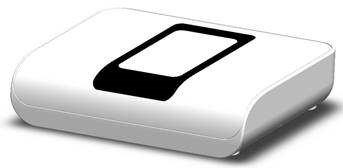
Product Picture
Log in to your Amdocs Connected Home account (via web portal) and go the Devices section (by clicking on the Devices tab). Scroll down to the bottom of the page and expand the Advanced Settings section (collapsed by default). Put the other Z-Wave controller in Inclusion Mode and then click on the ""Enter Z-Wave Learn Mode"" button.
Log in to your Amdocs Connected Home account (via web portal) and go the Devices section (by clicking on the Devices tab). Scroll down to the bottom of the page and expand the Advanced Settings section (collapsed by default). Click on the ""Reset Network Controller"" button.
Log in to your Amdocs Connected Home account (via web portal) and start the inclusion wizard (""Add a new device"" button). Select the icon that corresponds to the device to be included, or the generic Z-Wave icon (which works for all Z-Wave devices). Follow the instructions displayed by the inclusion wizard.
Log in to your Amdocs Connected Home account (via web portal) and go the Devices section (by clicking on the Devices tab). Find the device that needs to be excluded in the list of included devices. Click on the cross mark at the end of the line; this starts the exclusion wizard. Follow the instructions and perform the exclusion procedure on the Z-Wave device when instructed by the exclusion wizard.
| Type | Value(s) |
|---|