Athom
Homey
Homey
Central Controller
HW: 1 FW: 4.05:04.26
ZM5304
6.51.06
0x0244 (580)
0xBA5E (47710)
0x0001 (1)
ZC10-16055073
2016-05-17 12:44:50.2466
N/A
Static Controller
Central Static Controller
Homey is a universal, voice controlled Smart Home controller. It uses 8 different technologies, including Z-Wave, to create a single system out of a multitude of different devices.
Homey gets technology out of the way, so when you’re at home you can focus on the things that matter most to you. Switches and remotes aren’t always the best way to control the things around you, so Homey simply listens to your voice. No more pushing buttons or searching through apps. Just say what you want, sit back and let Homey do the work for you. Stay in control and automate everything at home by creating scenarios that join your favorite devices and services together. Homey isn’t just futuristic, but also future proof. Like a smartphone, apps can be downloaded to extend Homey’s functionality to always keep up with new devices and functionalities. Visit www.talkswithhomey.com for an up-to-date overview of supported devices. Monitor and control your home on the go with the Homey app for your smartphone. Know what is going on and keep control of your home, anywhere in the world. All outside connections to Homey are encrypted and secured, and only you decide who has access. Your data is only for you to see because, well, it’s your data.
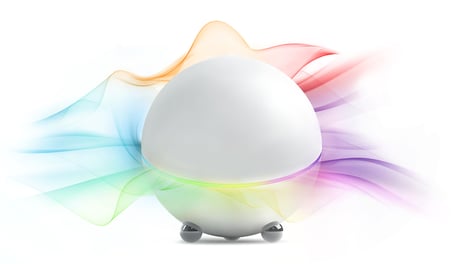
Product Picture
To add Homey to your current Z-Wave network, start a controller shift on your current controller, navigate to Settings (via my.athom.com) and select 'Z-Wave’. Then, click the ‘Inclusion’ button under ‘Advanced Network Settings’ when prompted by the controller initializing. This will put Homey in learn mode.
To Reset Homey to factory defaults, place Homey upside down. After a few seconds, Homey will initiate a countdown (both visually in the LED ring and verbally trough voice) of 15 seconds. After the countdown had ended, browse on a computer, laptop or tablet to setup.athom.com to initiate a new setup. PLEASE USE THE RESET PROCEDURE ONLY IF YOU EXPERIENCE SEVERE DIFFICULTIES WITH HOMEY'S OPERATING SYSTEM OR WHEN ADVISED TO DO SO BY ATHOM SUPPORT.
Homey Does not only include Z-Wave, but also many other technologies, making you able to combine Z-Wave devices with many other wireless and smart devices. This way, they can interact with each other in scenarios, are controllable from a single smartphone app, and can be controlled by voice through Homey!
To add a device to Homey, press the large ‘+’ in a dotted field. If applicable, you can first move to the relevant room on the left side of the screen. After pressing the plus, follow the on-screen instructions: 1) Choose which device you want to add, 2) Execute
A device can be removed from the Z-Wave settings page. Navigate to Settings (via my.athom.com) and select 'Z-Wave’. Then, click the ‘Remove node’ button under ‘Network’ and follow the on-screen instructions.