Coolcam
Door Sensor
NAS-DS01Z
Notification Sensor
HW: 65 FW: 3.61
ZM5202
6.51.06
0x0258 (600)
0x0003 (3)
0x1082 (4226)
ZC10-16055076
2016-05-17 13:51:41.5058
N/A
Routing Slave
Reporting Sleeping Slave
Door sensor with the function to detect the close and open status of door or window, send push notification to mobile phone when door or windows opened illegally
This product can be included and operated in any Z-Wave network with other Z-Wave certified devices from other manufacturers and/or other applications. All non-battery operated nodes within the network will act as repeaters regardless of vendor to increase reliability of the network. In the front casing, there is button that is used to carry out include, exclude or reset factory default settings on PCB Board. When power is first supplied, the LED will flash on and off alternately at one second intervals within 5 seconds if the detector has not been added a Z-Wave network. Please get familiar with the terms below before starting the operations.
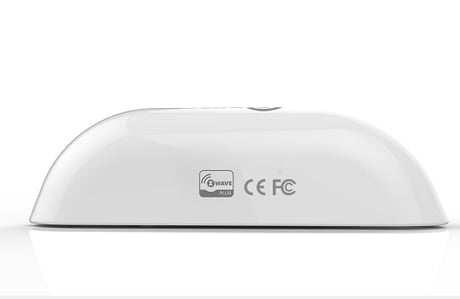
Product Picture
Add the Sensor (Door/Window detector) to Z-Wave Network 1.Remove the sensor cover. 2.Make sure the sensor is powered. 3.Set Z-Wave controller or Z-Wave gateway into inclusion mode (Refer to the controller or gateway operating manual) 4.Press the button three times within 1.5 second, the device will enter inclusion mode. And the LED will flash on and off alternately five times.
Delete the Sensor (Door/Window detector) from Z-Wave Network 1.Remove the device cover. 2.Make sure the sensor is powered. 3.Set Z-Wave controller or Z-Wave gateway into exclusion mode (Refer to the controller or gateway operating manual) 4.Press the button three times within 1.5 second, the device will enter exclusion mode.
Manual Wakeup the Sensor You can press the button once to wake up the device and send wakeup notification to controller. If press successfully, the LED will blink one time.
Note: to use the reset procedure only when the primary controller is missing or inoperable. Restore the Sensor (Door/Window detector) to Factory Default Settings Reset procedure will delete all information on the Z-Wave network and Z-Wave controller or Z-Wave Gateway, and restore the sensor to factory default settings. 1.Remove the device cover. 2.Make sure the sensor is powered. 3.Press and hold the button for 10 seconds, 4.Release the button.
| Type | Value(s) |
|---|
| Sensor type |
|---|
| General Purpose |