LG Uplus
Smart Plug
SPES-02
On/Off Power Switch
HW: 1 FW: 27.10
ZM5202
6.51.07
0x0247 (583)
0x0042 (66)
0x0001 (1)
ZC10-16055090
2016-05-26 11:08:19.2792
N/A
Enhanced 232 Slave
Always On Slave
Smart Plug
Smart-Plug plugs in between any appliance and the AC outlet. It measures its power consumption & sends that information to your smartphone. It can also control power source connected with appliance manually and remotely using smartphone.
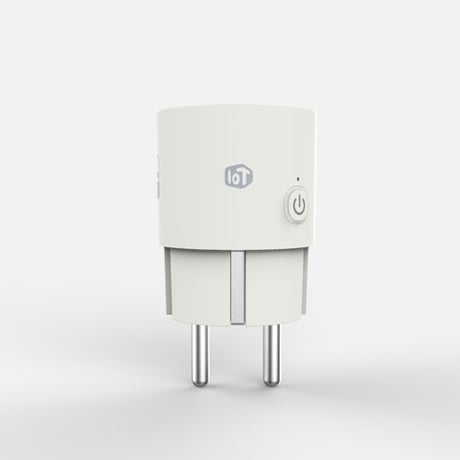
Product Picture


1 - standby power
First 3 Bytes : Standby Power Setting Value Last 1 Byte : Standby Power Enable/DisableSize: 4 bytes
Default: 0
Minimum: 0
Maximum: 0
Possible values
| From | To | Desription |
|---|---|---|
| 0 | 0 | standby power disable |
| 256001 | 256001 | standby power enable with 10.00 watt |
2 - meter transmit
Periodic Measurement Value Transmission Enable/DisableSize: 1 byte
Default: 1
Minimum: 0
Maximum: 0
Possible values
| From | To | Desription |
|---|---|---|
| 0 | 0 | Periodic Measurement Value Transmission Disable |
| 1 | 1 | Periodic Measurement Value Transmission Enable |
3 - power accumulation mode
Power Accumulation Stop / StartSize: 1 byte
Default: 1
Minimum: 0
Maximum: 0
Possible values
| From | To | Desription |
|---|---|---|
| 0 | 0 | Power Accumulation Stop |
| 1 | 1 | Power Accumulation Start |
4 - device usage
Connected Device Use / Not UseSize: 1 byte
Default: 0
Minimum: 0
Maximum: 0
Possible values
| From | To | Desription |
|---|---|---|
| 0 | 0 | Connected Device Not Use |
| 1 | 1 | Connected Device Use |
5 - meter transmit interval
Periodic Measurement Value Transmission Interval Minimum time interval : 10minutesSize: 1 byte
Default: 6
Minimum: 0
Maximum: 0
Possible values
| From | To | Desription |
|---|---|---|
| 1 | 144 | 1 = 10min, 144 = 1440 min |
1. Put your Z-Wave controller into inclusion mode. 2. Plug the SmatPlug into the power outlet. 3. Press and hold on/off button about 5 seconds. 4. Orange LED will be flashing about 2 seconds, then inclusion process will be start. 5. Wait until inclusion will be done.
1. Put your Z-Wave controller into exclusion mode 2. Plug the SmatPlug into the power outlet. 3. Press and hold on/off button about 5 seconds. 4. Orange LED will be flashing about 2 seconds, then exclusion process will be start. 5. Wait until exclusion will be done.
Please use this procedure only when the network primary controller is missing or otherwise inoperable. 1. Plug the SmatPlug into the power outlet. 2. Press and hold on/off button about 10 seconds. 3. Orange LED will be flashing about 2 seconds, then factory reset process will be start.
| Type | Value(s) |
|---|
| Meter type |
|---|
| Electric Meter Consumption |