Zooz
4-in-1 Sensor
ZSE40
Notification Sensor
HW: 1 FW: 5.01:10.01
ZM5202
6.51.06
0x027A (634)
0x2021 (8225)
0x2101 (8449)
ZC10-16055079
2016-05-19 12:06:03.989
N/A
Enhanced 232 Slave
Reporting Sleeping Slave
Yes
Enjoy 4 smart sensors in 1 compact device. Monitor motion, temperature, humidity, and light level. The Zooz 4-in-1 sensor is packed with advanced features: - 7 levels of motion sensitivity to choose from - 3 modes for motion / temp led indicator notifications - Built-in tamper protection - Low battery alerts
Enjoy 4 smart sensors in 1 compact device. Monitor motion, temperature, humidity, and light level. This is a secure device using 128-bit signal encryption. It requires a security enabled gateway controller for full functionality. The Zooz 4-in-1 sensor is packed with advanced features: - 7 levels of motion sensitivity to choose from - 3 modes for motion / temp led indicator notifications - Built-in tamper protection - Low battery alerts - Z-Wave Plus with improved 500 series chip for faster and safer wireless communication Z-Wave Frequency: 908.42 MHz (US) Power: 2 AAA batteries Wireless Range: Up to 100 feet line of sight Operating Temperature: 5° - 104°F Installation: Indoor Use Only 1 Year Warranty
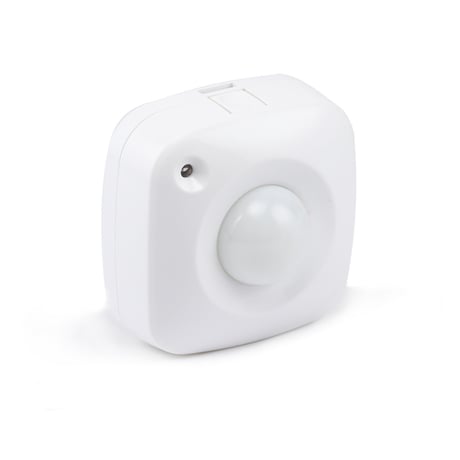
Product Picture
To add the ZSE40 to the Z-Wave network (inclusion), place the Z-Wave primary controller into inclusion mode. Press the Program Switch of ZSE40 for sending the NIF. After sending NIF, Z-Wave will send the auto inclusion, otherwise, ZSE40 will go to sleep after 20 seconds.
To remove theZSE40 from the Z-Wave network (exclusion), place the Z-Wave primary controller into “exclusion” mode and follow its instruction to delete the ZSE40 to the controller. Press the Program Switch of ZSE40 once to be excluded.
Use “Wake Up” command to set up the awaking time (from 10 minutes to 1 week) and send the wake up notification to controller
Remove cover to trigged tamper switch, LED flash once & send out Alarm Report. Press Program Switch 10 times within 10 seconds, ZSE40 will send the “Device Reset Locally Notification” command and reset to the factory default. (Remark: This is to be used only in the case of primary controller being inoperable or otherwise unavailable.)
| Type | Value(s) |
|---|
| Sensor type |
|---|
| Air Temperature |
| General Purpose |
| Illuminance |
| Humidity |