Enerwave Green Automation
In-wall Smart Meter ON/OFF Switch
ZW15SM
On/Off Power Switch
HW: 1 FW: 5.10
ZM5202
6.51.07
0x011A (282)
0x0111 (273)
0x0102 (258)
ZC10-16075131
2016-07-01 09:21:48.3124
N/A
Routing Slave
Always On Slave
In-wall Smart Meter ON/OFF Switch, with energy measure.
The ZW15SM ON/OFF Switch is a perfect wireless manual and remote on/off control replacement of a regular wall switch, controlling incandescent, LED, ballast loads and more. This ZW15SM ON/OFF switch is fully compatible with other Z-Wave certified devices from other manufacturers and/or other applications providers and can be added to any Z-Wave network. As part of any Z-Wave network, each device can be remotely controlled by commands sent from Z-Wave controllers in real time, but each Z-Wave powered device also acts as wireless repeater transmitting RF signals from one to another, thus extending the range of RF signal all over the system. The ZW15SM Smart Meter Switch enables you to measure the energy usage of your appliance. The ZW15SM reports real time data to your gateway or controller. It can also display actual consumption (in W) and the accumulated power used (in kWh) in the user interface of the gateway. Please use the gateway installation manual for specific instructions on measuring the power.
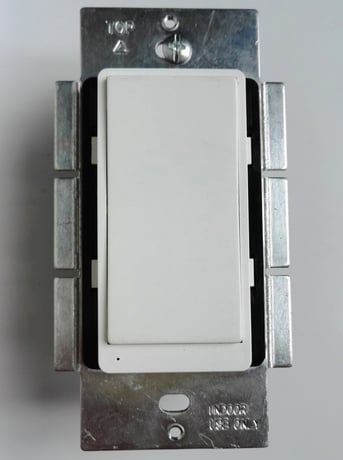
Product Picture


1 - LEDdirect
synchronization of load power and LED indicatorSize: 1 byte
Default: 0
Minimum: 0
Maximum: 0
Possible values
| From | To | Desription |
|---|---|---|
| 0 | 0 | Power on, LED off |
| 1 | 1 | Power on, LED on |
When the primary controller is in the adding mode, press the paddle once and hold for 4 seconds. The primary controller will verify the adding, assign a node ID number for the module .
When the primary controller is in the removing mode, press the paddle once and hold for 4 seconds. The primary controller will verify the removing, remove the module from the current Z-Wave network, and the LED will blink when the module is on power.
Press once and hold for 10 seconds, the device will send a device reset locally notification to controller. Then clear all of information for the network, and restore factory defaults, and reset the module. Use this procedure only in the event that the network primary controller is missing or otherwise inoperable.
| Type | Value(s) |
|---|
| Meter type |
|---|
| Electric Meter Consumption |