Winytechnology
Energy Meter
WTR-1110-011
Whole Home Meter - Simple
HW: 1 FW: 1.00
ZM5101
6.51.06
0x0242 (578)
0x0003 (3)
0x0013 (19)
ZC10-16095220
2016-07-27 00:59:56.7654
N/A
Enhanced 232 Slave
Always On Slave
This Energy meter monitors the total energy usage of an entire home or office.
This Energy meter monitors the total energy usage of an entire home or office and reports immediate wattage and kWh usage data to a Z-Wave controller.
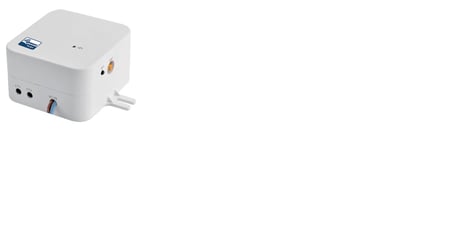
Product Picture


2 - AMRC
AMRC (Automatically meter report control) is the report mode setting for Meter data. 00b : Clear Meter Report. 01b : Report the event in case value is bigger than Parameter 91~96. Report interval is 31 seconds after triggering. 10b : Automatic Report with the set interval in Parameter 111~113.Size: 1 byte
Default: 2
Minimum: 0
Maximum: 0
Possible values
| From | To | Desription |
|---|---|---|
| 0 | 1 | Automatically meter report control |
3 - MRCS
Meter report clamp select (MRCS) sets the Meter data which is reported by “Get command” of Meter Command Class that does not use “Multi Channel Command Encapsulation Command” (without Destination End Point). 0x01 : Clamp1 meter data 0x02 : Clamp2 meter data 0x03 : Sum of the Meter data’s Clamp 1, 2Size: 1 byte
Default: 1
Minimum: 0
Maximum: 0
Possible values
| From | To | Desription |
|---|---|---|
| 1 | 3 | Meter report clamp select |
91 - GMRTL1_W
Group1 Watt Trigger level value Set the trigger value (0~65535) of Meter report in the Parameter 2Size: 2 bytes
Default: 50
Minimum: 0
Maximum: 0
Possible values
| From | To | Desription |
|---|---|---|
| 0 | 65535 | Set the trigger value |
92 - GMRTL1_kWh
Group1 kWh Trigger level value Set the trigger value (0~65535) of Meter report in the Parameter 2Size: 2 bytes
Default: 50
Minimum: 0
Maximum: 0
Possible values
| From | To | Desription |
|---|---|---|
| 0 | 65535 | Set the trigger value |
93 - GMRTL2_W
Group2 Watt Trigger level value Set the trigger value (0~65535) of Meter report in the Parameter 2Size: 2 bytes
Default: 50
Minimum: 0
Maximum: 0
Possible values
| From | To | Desription |
|---|---|---|
| 0 | 65535 | Set the trigger value |
94 - GMRTL2_kWh
Group2 kWh Trigger level value Set the trigger value (0~65535) of Meter report in the Parameter 2Size: 2 bytes
Default: 50
Minimum: 0
Maximum: 0
Possible values
| From | To | Desription |
|---|---|---|
| 0 | 65535 | Set the trigger value |
95 - GMRTL3_W
Group3 Watt Trigger level value Set the trigger value (0~65535) of Meter report in the Parameter 2Size: 2 bytes
Default: 50
Minimum: 0
Maximum: 0
Possible values
| From | To | Desription |
|---|---|---|
| 0 | 65535 | Set the trigger value |
96 - GMRTL3_kWh
Group3 kWh Trigger level value Set the trigger value (0~65535) of Meter report in the Parameter 2Size: 2 bytes
Default: 50
Minimum: 0
Maximum: 0
Possible values
| From | To | Desription |
|---|---|---|
| 0 | 65535 | Set the trigger value |
101 - GRCCS1
GRCCS – Group1 Report Command Class Setup Group1 report CRC16( Group report crc16 enable/disable) 0x00 Group report CRC16 Disable 0x01 Group report CRC16 Enable Meter Report Scale Select( select the scale which is used for Meter report event) 0x00 Meter report command scale (kWh) 0x02 Meter report command scale (Watt)Size: 4 bytes
Default: 0
Minimum: 0
Maximum: 0
Possible values
| From | To | Desription |
|---|---|---|
| 0 | 1 | Group1 report CRC16 |
| 0 | 2 | Meter Report Scale Select |
102 - GRCCS2
GRCCS – Group2 Report Command Class Setup Group2 report CRC16( Group report crc16 enable/disable) 0x00 Group report CRC16 Disable 0x01 Group report CRC16 Enable Meter Report Scale Select( select the scale which is used for Meter report event) 0x00 Meter report command scale (kWh) 0x02 Meter report command scale (Watt)Size: 4 bytes
Default: 2
Minimum: 0
Maximum: 0
Possible values
| From | To | Desription |
|---|---|---|
| 0 | 1 | Group2 report CRC16 |
| 0 | 2 | Meter Report Scale Select |
103 - GRCCS3
GRCCS – Group3 Report Command Class Setup Group3 report CRC16( Group report crc16 enable/disable) 0x00 Group report CRC16 Disable 0x01 Group report CRC16 Enable Meter Report Scale Select( select the scale which is used for Meter report event) 0x00 Meter report command scale (kWh) 0x02 Meter report command scale (Watt)Size: 4 bytes
Default: 2
Minimum: 0
Maximum: 0
Possible values
| From | To | Desription |
|---|---|---|
| 0 | 1 | Group3 report CRC16 |
| 0 | 2 | Meter Report Scale Select |
111 - GRIC1
Set the Interval time of Report group1 (60~65535 second)Size: 4 bytes
Default: 720
Minimum: 0
Maximum: 0
Possible values
| From | To | Desription |
|---|---|---|
| 60 | 65535 | Set the Group1 Report Time |
112 - GRIC2
Set the Interval time of Report group2 (60~65535 second)Size: 4 bytes
Default: 720
Minimum: 0
Maximum: 0
Possible values
| From | To | Desription |
|---|---|---|
| 60 | 65535 | Set the Group2 Report Time |
113 - GRIC3
Set the Interval time of Report group3 (60~65535 second)Size: 4 bytes
Default: 720
Minimum: 0
Maximum: 0
Possible values
| From | To | Desription |
|---|---|---|
| 60 | 65535 | Set the Group3 Report Time |
255 - Reset
Reset to the default configuration parameter 2 : Initialize Parameter 2 3 : Initialize Parameter 3 91 : Initialize Parameter 91 92 : Initialize Parameter 92 93 : Initialize Parameter 93 94 : Initialize Parameter 94 95 : Initialize Parameter 95 96 : Initialize Parameter 96 101 : Initialize Parameter 101 102 : Initialize Parameter 102 103 : Initialize Parameter 103 111 : Initialize Parameter 111 112 : Initialize Parameter 112 113 : Initialize Parameter 113 255 : Reset all parameters to the defaultSize: 1 byte
Default: 255
Minimum: 0
Maximum: 0
Possible values
| From | To | Desription |
|---|---|---|
| 2 | 255 | Initialize Parameter |
A. Confirm that a device must be wireless access to Z-Wave network. (Fn Display: Green LED OFF) B. Set “NW Inclusion” or “Node Add” by controller. C. Press Fn switch 3 times in a row to include device to Z-Wave network. (Fn Display: Green LED blinking) Press Fn switch 3 times in a row to cancel during including Z-Wave network. (Fn Display: Green LED OFF) D. Confirm that a device is including to Z-Wave network. (Fn Display: Green LED blinking)
A. Confirm that a device is including to Z-Wave network. (Fn Display: Green LED blinking) B. Set “Node remove” by controller. C. Press Fn switch 3 times in a row to cancel during including Z-Wave network. (Fn Display: Red LED blinking) If the controller is not on “Node remove” status, device will automatically cancel “Exclusion”. (Fn Display: Green LED ON) D. Confirm that it remove the device from Z-Wave network. (Fn Display Green LED - OFF)
Use this procedure only in the event that the network primary controller is missing or otherwise inoperable. Press Fn switch over 10~15 sec to initialize connecting network information.
| Type | Value(s) |
|---|