Zipato
Door Sensor
ZD2102US-5
Notification Sensor
HW: 1 FW: 5.01:10.02
ZM5202
6.51.06
0x0131 (305)
0x2001 (8193)
0x0106 (262)
ZC10-16075154
2016-07-26 23:33:30.2802
N/A
Enhanced 232 Slave
Reporting Sleeping Slave
Yes
Battery powered door and window sensor with magnetic reed switch and external switch contacts for adding additional sensor contacts.
The ZD2102-5 Door and Window sensor is used in any Z-Wave network to detect the opening or closing of a door or window. Special Design can fit most of door/window frame. The primary sensing element is a magnetic reed switch, the ZD2102-5 is supplied with the sensor, sensor mounting bracket and the trigger magnet. An additional set of sensor inputs are provided through a 2 position screw terminal and can be used to expand the sensor capability to multiple inputs. The ZD2102-5 is powered by a single CR123A Lithium Battery (supplied with unit, battery life is more than 5 years) and is intended for indoor use only. The ZD2102-5 features tamper proof switch, low battery warning and can be firmware updated over the air.
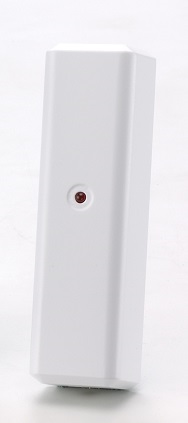
Product Picture


1 - External Contact
Enable or disable external contact input.Size: 1 byte
Default: 0
Minimum: 0
Maximum: 0
Possible values
| From | To | Desription |
|---|---|---|
| -1 | -1 | ENABLED (Hex 0xFF) |
| 0 | 0 | DISABLED |
For “Inclusion” (adding to) a network: Put the Z-Wave™ network controller into “inclusion” mode following its instructions. To add the ZD2102-5 to your controller press the program switch of ZD2102-5 to send the Node Information Frame (NIF). After sending NIF, the network controller will send the auto inclusion request; otherwise, ZD2102-5 will go to sleep after 15 seconds.
For “Exclusion” (removing from) a network: Put the Z-Wave™ network controller into “exclusion” mode, following its instructions. To delete the ZD2102-5 from your controller press the program switch of ZD2102-5 for at least 1 second to be excluded. Note: All user and network settings will be cleared and the device reset to factory setting defaults when the device is excluded.
The ZD2102-5 is forced awake by opening the rear cover, the red LED will stay on and the 2102-5 will stay awake for 10 seconds. The ZD2102-5 will send “Wake Up Notification”. If ZD2102-5 receives a “Wake Up No More Information” command then the red LED will go off and it will go to sleep. Auto Wake Up: The wakeup interval is user settable from 10 minutes to 1 week using COMMAND_CLASS_WAKE_UP, Interval increment is 3 minutes.
Factory Default Reset: Trigger the rear cover switch to send the Alarm Report and trigger the reed switch (close & open) 5 times in 10 seconds, ZD2102-5 will send the “Device Reset Locally Notification” command and reset to the factory default condition. (Remark: This is to be used only in the case of primary controller being inoperable or otherwise unavailable.)
PowerLevel Control, Battery Votlage Detection(Auto report low battery),OTA function
| Type | Value(s) |
|---|