Hank
Smart Plug
HKZW-SO05
On/Off Power Switch
HW: 1 FW: 1.00
ZM5101
6.51.08
0x0208 (520)
0x0100 (256)
0x000A (10)
ZC10-16075153
2016-07-27 00:35:19.1802
N/A
Enhanced 232 Slave
Always On Slave
Smart plug is a Z-Wave Switch plugin module specifically used to enable Z-Wave command and control (on/off) of any plug-in tool.
Smart plug is a Z-Wave Switch plugin module specifically used to enable Z-Wave command and control (on/off) of any plug-in tool. It can report wattage consumption or kWh energy usage, and can indicate the power level with a RGB LED. Smart Plug is also a security Z-Wave device and supports the Over The Air (OTA) feature for the product’s firmware upgrade .
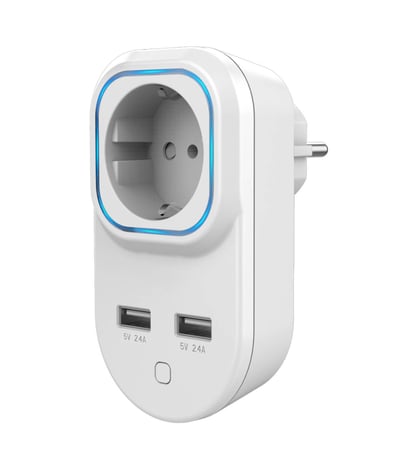
Product Picture
1) Connect the power supply. 2) Set the Z-Wave network main controller into inclusion mode (see Z-Wave network controller operating manual). 3) Triple click the Z-button or power up the device , RGB LED indicator should blink fast in blue. 4) Smart Plug should be recognized and included into the Z-Wave network.
1) Insert the Plug into a socket. 2) Set the Z-Wave network controller into the exclusion mode (see Z-Wave controller operating manual). 3) Triple click the Z button. 4) RGB LED indicator will blink orange till the removing process is completed, than the indicator will keep orange for 3 seconds.
1) Insert the Plug into a socket, 2) Press and hold the Z button for more than 20 seconds, 3) If holding time more than 20seconds, the RGB LED indicator will keep yellow for 2 seconds, which means resetting is completed. Use this procedure only in the event that the network primary controller is missing or otherwise inoperable.
| Type | Value(s) |
|---|
| Meter type |
|---|
| Electric Meter Consumption |