Enbrighten
Smart LED Light Bulb
35931.0
Light Dimmer Switch
HW: 1 FW: 5.32
ZM5202
6.51.08
0x0063 (99)
0x4C42 (19522)
0x3031 (12337)
ZC10-16095215
2016-09-06 11:02:34.0586
N/A
Enhanced 232 Slave
Always On Slave
Smart LED light bulb with Z-Wave radio. Fully dimmable, 60W equivalent, consumes 9W of power, A19 screw in bulb with frosted soft light
Smart LED light bulb with Z-Wave radio. - Control lights remotely and save energy - Compatible with smart home systems supporting Z-Wave - 60 Watt equivalent light (750 lumens) - Consumes only 9 watts of power - 2700K soft light with frosted glass - Instant ON and fully dimmable - Functions as a Z-Wave signal repeater - Very simple to include in your network - Z-Wave Plus certified
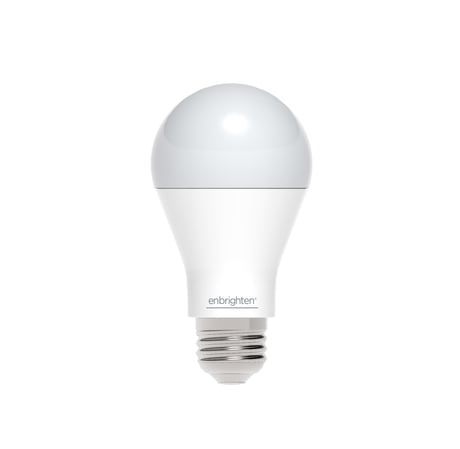
Product Picture
1. Turn Off power to the light bulb socket 2. Screw in the light bulb 3. Place your network controller into inclusion mode by following the controller manufacturer's instructions 4. Turn On power to the light bulb. If successful, the LED light bulb will flash twice to indicate successful inclusion. 5. If the controller/gateway shows it was a fail, repeat the procedure. Note: If Inclusion still fails after the 2nd attempt, you need to first RESET the dt Smart Bulb before repeating the above steps.
1. Turn off power to the light bulb socket 2. Follow the network controller instruction to place your network controller into exclusion mode to remove the dt light bulb from the network. 3. After being prompted by the network controller, turn On power to the light bulb. If successful, the LED light bulb will flash twice to indicate successful exclusion.
You may manually reset the light bulb as follows: 1. Flick the wall switch “OFF-ON” 4 times within 4 seconds. 2. The dt Smart Bulb will flash twice after Reset is successful. Use this procedure only in the event that the network primary controller is lost or otherwise inoperable.
| Type | Value(s) |
|---|