Zooz
Zooz Z-Wave Dimmer Light Switch
ZEN22
Light Dimmer Switch
HW: 1 FW: 20.15
ZM5202
6.51.06
0x015D (349)
0x0112 (274)
0x241C (9244)
ZC10-16085194
2016-08-26 16:17:42.3496
N/A
Routing Slave
Always On Slave
Use this Z-Wave Plus Dimmer Switch to set and recreate the perfect brightness for your lights with a click. Modern decora style is complemented by a screwless snap-on wall plate.
PRODUCT FEATURES: - Manual or remote on/off control and dimming from your mobile device or computer (when included to a Z-Wave gateway controller) - Z-Wave Plus with improved 500 chip for faster and safer wireless communication - Works with most high-quality DIMMABLE LED, CFL, and incandescent bulbs - Based on universal command classes - supported by most Z-Wave controllers - May be associated and grouped with other Z-Wave devices for advanced home automation - LED indicator to help locate the switch in dark space - Simple elegant design with screwless snap-on wall plate included - Built-in Z-Wave signal repeater for a stronger and more reliable network SPECIFICATIONS: Model Number: ZEN22 Z-Wave Signal Frequency: 908.42 MHz Power: 120 VAC, 60 Hz Maximum Loads: 500W Single-gang, 400W Double-gang, 300W Triple-gang Incandescent, 150W CFL or LED Range: Up to 100 feet line of sight Operating Temperature: 32-104° F (0-40° C) Installation and Use: Indoor only
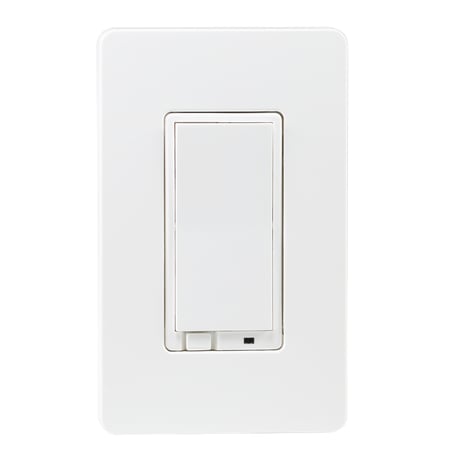
Product Picture
1. Bring your Z-Wave gateway hub or controller as close to the switch as possible 2. Put your Z-Wave controller in inclusion mode 3. Tap the switch on and off quickly 3 times to finalize the inclusion process 4. A new dimming device should appear on your controller's device list Troubleshooting Tips: If you are unable to include the Z-Wave dimmer to your controller, please try one of the following: - Bring the controller closer to your Z-Wave switch or use a hand-held secondary controller for inclusion - Tap your Z-Wave switch quicker 4 or 5 times once you put the controller in the inclusion mode to ensure the command has gone through - Put your controller in the EXCLUSION mode and tap the switch quickly 3 times, then try adding it to your network again
1. Bring your Z-Wave gateway hub or controller as close to the switch as possible 2. Put your Z-Wave controller in exclusion mode 3. Tap the switch on and off quickly 3 times to complete the exclusion process 4. The device should disappear from your controller's device list
The switch will be reset to factory defaults only by exclusion using a Z-Wave controller. You may use any certified Z-Wave controller to exclude and reset the switch. This device may not be reset manually when the network’s primary controller is missing or otherwise inoperable. NOTE: All previously recorded activity and custom settings will be erased from the device’s memory.
| Type | Value(s) |
|---|