show home
In-Wall Smart Switch
ZW30T
On/Off Power Switch
HW: 1 FW: 20.16
ZM5202
6.51.07
0x015D (349)
0x0112 (274)
0x251C (9500)
ZC10-16105264
2016-10-07 12:25:37.916
N/A
Routing Slave
Always On Slave
In-wall style Smart switch
It is an In-wall type device controlled by Z-Wave controller and can be configured in Z-Wave sensor network, if Z-Wave certified controller features remote access, you can control lights at home from your mobile phone separately, and manual On/Off light by front Up/Down push button.
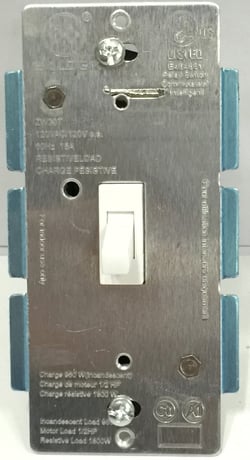
Product Picture
1. Follow the instructions of certified controller to include a device from different manufactures into the Z-Wave network. 2. Once the controller is ready to include your device, triple press the Up/Down push button to include it in the network. 3. Once your controller has confirmed that the device has been included, refresh the Z-Wave network to optimize performance. 4. The device is associated in the same group when it included in setting process. Now you can control your Z-Wave device according to groups, scenes, schedules and automation programmed. If your controller features remote access, you can now control all devices in Z-Wave network from mobile devices.
1. Follow the instructions for your Z-Wave certified controller to exclude a device from the Z-Wave network. 2. Once the controller is ready to Exclude your device, triple press the Up/Down push button to exclude it from the network.
1. Use controller to remove device from network will reset it to factory default. 2. Please use this procedure only in the event that the network primary controller is missing or otherwise inoperable.
| Type | Value(s) |
|---|