Aeotec
Range Extender 6
ZW117-A01
Repeater
HW: 117 FW: 1.03
ZM5101
6.51.08
0x0086 (134)
0x0104 (260)
0x0075 (117)
ZC10-16095239
2016-09-23 13:27:34.968
N/A
Enhanced 232 Slave
Always On Slave
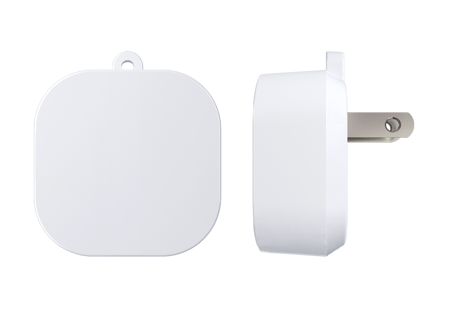
Aeotec Range Extender 6 is a Z-Wave repeater.
Aeotec Range Extender is a Z-Wave mesh network repeater which can extend the range of communication between Z-Wave products and assist other devices to reach each other in your Z-Wave network. The Range Extender can also communicate securely via AES 128 wireless Z-Wave commands and supports Over-The-Air (OTA) firmware upgrades.


33 - Set the RGB value of the LED.
Set the RGB value of the LED. Note: this parameter is only used to test the RGB LED, if you want to set its default RGB value, please use the Color Switch CC.Size: 4 bytes
Default: 0
Minimum: 0
Maximum: 0
Possible values
| From | To | Desription |
|---|---|---|
| 256 | 65535 | Green color value |
| 1 | 255 | Bule color value |
| 65536 | 16777215 | Red color value |
82 - Set the default status of the LED when the Range Extender relays Z-Wave message
Set the default status of the LED when the Range Extender relays Z-Wave messageSize: 1 byte
Default: 0
Minimum: 0
Maximum: 0
Possible values
| From | To | Desription |
|---|---|---|
| 0 | 0 | The Green LED will remain ON for 2 seconds. |
| 1 | 1 | The LED remains OFF state. |
200 - Partner ID
Set the partner ID of product.Size: 1 byte
Default: 0
Minimum: 0
Maximum: 0
Possible values
| From | To | Desription |
|---|---|---|
| 1 | 1 | Other partners. |
| 0 | 0 | Aeon Labs standard product |
252 - Enable/disable Lock Configuration
Enable/disable to lock Configuration parameters.Size: 1 byte
Default: 0
Minimum: 0
Maximum: 0
Possible values
| From | To | Desription |
|---|---|---|
| 0 | 0 | Disable |
| 1 | 1 | Enable |
254 - Device tag
Set a device tag for your Range Extender.Size: 2 bytes
Default: 0
Minimum: 0
Maximum: 0
Possible values
| From | To | Desription |
|---|---|---|
| 1 | 32767 | The available value range is 1 to 32767. |
255 - Reset the Bulb
Reset the Bulb to factory default.Size: 4 bytes
Default: 0
Minimum: 0
Maximum: 0
Possible values
| From | To | Desription |
|---|---|---|
| 0 | 0 | Reset all configuration parameters to factory default settings |
| 1431655765 | 1431655765 | Reset the bulb to factory default. |
Turn the primary controller of Z-Wave network into inclusion mode, press the Z-Wave Button on Range Extender 6.
Turn the primary controller of Z-Wave network into exclusion mode, press the Z-Wave Button on Range Extender 6.
Press and hold the Z-Wave Button for 20 seconds and then release it. Use this procedure only in the event that your primary network controller is missing or inoperable.
Support ""Over the Air Firmware Updating"" and “Z-Wave Security”.
| Type | Value(s) |
|---|