Zipato
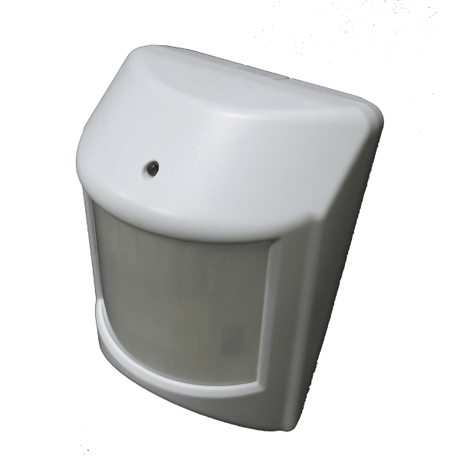
Zipato Multisensor Duo
vs-zp3102+.us
Notification Sensor
HW: 1 FW: 8.02:10.03
ZM5202
6.51.06
0x0131 (305)
0x2002 (8194)
0x0205 (517)
ZC10-16095232
2016-09-09 14:48:50.9474
N/A
Enhanced 232 Slave
Reporting Sleeping Slave
Yes
Motion and temperature sensor in one device.
Motion and temperature sensor in one device. Zipato Multisensor Duo offers elaborate security and ambient sensing options. Multi-functional nature of this product allows you to detect motion, and measure room temperature. When used with Zipato home automation controllers it can be part of any automation scenario created using Zipato Rule Creator. Accordingly it can be used to automatically trigger other devices when activated.


1 - Motion retrigger interval
1 to 255 minutes to setup the re-trigger when there is no movement detected in the period of time.Size: 1 byte
Default: 3
Minimum: 0
Maximum: 0
Possible values
| From | To | Desription |
|---|---|---|
| 1 | 127 | 1 to 127 minutes |
| -128 | -1 | 128 to 255 minutes |
2 - Celsius/Fahrenheit
Select default temperature unitSize: 1 byte
Default: 0
Minimum: 0
Maximum: 0
Possible values
| From | To | Desription |
|---|---|---|
| 0 | 0 | Celsius |
| 1 | 1 | Fahrenheit |
3 - PIR sensitivity
7 levels sensitivity, 1 = least sensitive, 7 = most sensitive,Size: 1 byte
Default: 4
Minimum: 0
Maximum: 0
Possible values
| From | To | Desription |
|---|---|---|
| 1 | 7 | PIR sensitivity |
Put your Z-Wave Controller into “inclusion” mode, and follow the instructions to add Multisensor Duo to your controller. To get in the “inclusion” mode, the distance between sensor and controller should be up to 1 meter. Press the program switch of Multisensor Duo once. The LED on the sensor should stop flashing, if not, please try again.
Put your Z-Wave Controller into “exclusion” mode, and follow the instructions to remove the Multisensor Duo from you controller network. Press the program switch of Multisensor Duo once to be excluded. The LED on the Multisensor Duo should start to flash.
It will be triggered after opening the front cover. Red LED will last 10 seconds and Multisensor Duo will send “Wake Up Notification” after 10 seconds.
Remove cover to trigged tamper switch, LED ON & send out Alarm Report. Press Program Switch 10 times within 10 seconds. Multisensor Duo will send the “Device Reset Locally Notification” command and reset to the factory default settings. (Remark: This is to be done only in case of primary controller being inoperable or otherwise unavailable.)
| Type | Value(s) |
|---|
| Sensor type |
|---|
| Air Temperature |
| General Purpose |